Review by Mike Barrett
The satnav market is awash with lots of navigation systems with all sorts of bells and whistles in an attempt to find a differentiator. Well last year Navman joined this group by introducing NavPix.
NavPix is a technology effectively making POIs from digital pictures. This is fine, but how do 'normal' people make POI images? There are actually a number of way as Navman have recognised that there must be an easy way of creating them, but by far the easiest is to use one of the new range of Navman Satnav systems.
All of the current Navman satnavs can use NavPix POIs, but only the new "i" series can create them. This review looks at the Navman N40i. Retailing at £259 it is a mid range system.
To find out what we think of the new systems and watch a short video review read on...
|
|
Navman N40i Satnav product specifications
The following are the official Navman N40i specifications which have been reproduced from information provided by Navman:
Hardware
Weight 200g
Size 81mm (H) x 118mm (W) x 22.5mm (D)
Memory 64MB SDRAM plus Flash-based ROM:
UK and Ireland, Benelux, Spain and Portugal, Australia and New Zealand = 256MB
France and Andorra; Italy; Germany, Canada; Scandinavia = 512MB
USA = 2GB
Camera Yes
Hard drive No
Processor Samsung 244-400MHz
Battery Rechargeable integrated Li ION – up to 4-5hrs life (depending on use)
High-quality loudspeaker Yes
GPS Receiver SiRFstarIII™ Generation 2
GPS update rate Typically every second once fix established
GPS accuracy Fix to 5 metres 95% of the time
Screen Anti-glare high resolution 3.5” (89mm) colour touch-screen
In-Car Suction Mount Yes
Power 12V in-car power connector
PC connection USB 1.1
Software
NavPix™ navigation to pictures
Journey View
Drive-Away™
Back-on-Track™
POI (points of interest – transport-related POIs)
Nearest POI/POI import
Full postcode address search (including 8 digit postcodes in the UK) – not full postcode-based search in the Netherlands
Voice guided instructions
Favourite destinations stored
Multiple routing options, eg, shortest/fastest, nearest POI
Views
Turn-by-Turn™
Next manoeuvre
3D Moving map (adjust 3D zoom mode downwards to achieve 2D moving map mode)
2D Mini map
Mapping
Tele Atlas 2006
SmartST™ 2006 SE navigation software
Local and European maps |
|
Getting Started
The Navman N40i is supplied 'working out of the box'. This means that you can effectively go to a store, buy the unit, eagerly rip the box open and start navigating home...
Included bundled in the package is a year's subscription to a Speed Camera Database (not the PocketGPSWorld.com one) so you will even get warned about some speed cameras on the way home.
For the technical among you the GPS system is based on Windows Mobile CE 5.0, though you do not get access to the software it does connect to your PC via ActiveSync (if you have it installed). |
 |
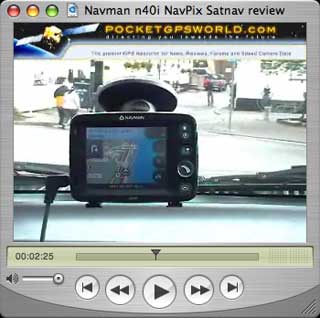
At PocketGPSWorld.com we are always looking to improve our reviews and have been considering requests of including video of the units in action. We are still learning so be gentle with us... Anyway if you click on the graphic to the right you can see the Navman N40i in action.
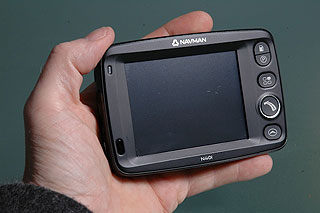
Getting back to the written word. The N40i is actually an ideal sized satnav. It fits snuggly in the palm of your hand, but at the same time has a screen large enough to see everything clearly.
Incorporated in the GPS receiver is a SiRFStarIII GPS chipset. If your eyes just glazed over with the technology, dont worry. The SiRFStarIII is one of the best GPS systems around.
OK so there are lots of buttons and covers on the Navman N40i, lets find out what they do... |
 |
A look round the Navman N40i satnav
Starting on the right of the N40i there are a range of buttons with mysterious icons on them.
Actually the top 2 are easy to spot: a petrol pump and a parking sign. These provide quick access to a localised POI search for the nearest petrol station or car park.
Just underneath is a button with 4 rectangles. This is the system preferences button. Pressing this displays a menu allowing you to configure your device.
The button with an arrow shaped road on it is the main "GOTO" button. This is used to set your destination. You are given a number of options to get you on your way. |
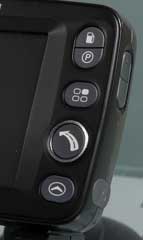 |
The final button with an arrowhead displays the map view. This has a number of different actions depending if you are currently driving a route. With no route set it simply toggles between 2D and 3D. With a route set this also adds next maneuver and maneuver list into the cycles.
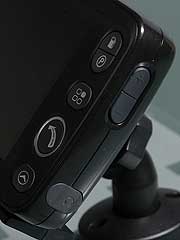
On the right hand side of the N40i are the controls for the volume and a rubber bung which covers the headphone socket. This gives a variety of possibilities from a direct connection to an audio device to bluetooth audio dongles or actual headphones.
The volume output from the internal speaker is sufficient for most cars at motorway speeds. |
 |
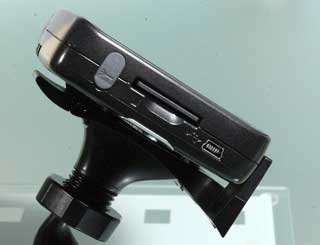
Moving on to the left hand side of the Navman N40i there is an external antenna connection. This may be required if your car has a coated windscreen. These are typically French cars, this coating prevents the GPS signal penetrating.
Below the antenna connector is a memory card slot. This accepts either MMC or SD cards. I actually had trouble with SD cards with my unit, but it accepted MMC cards with no problem.
The final item on the left side is a mini-USB connector. This is used to both power the system whilst in a car, or to transfer data when connected to a computer. This allows you to configure maps and POIs. |
 |
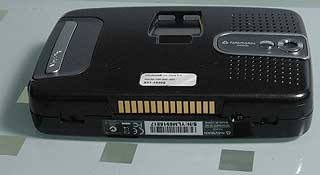
Looking underneath the Navman N40i there is a multi-connector to allow data to be exchanged between the N40i and add-on base units. These perform functions like hands-free mobile phone calling or TMC traffic data interface.
If you look carefully just to the right of the gold connector strip there is a tiny switch. This is the on/off switch which isolates the battery and allows the N40i to force a hard reset. You can use this switch if you dont intend to use the GPS for a while. It will preserve the battery power.
|
 |
Navman N40i mount options
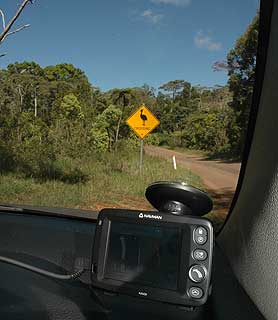
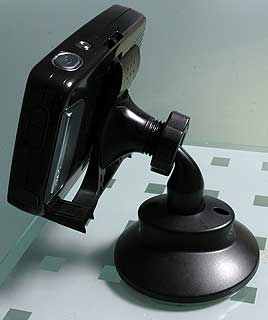
Some time ago Navman introduced aball joint style of mounting. At the time I was a little wary of the mechanism, but time has proven it to be a very resilient and solid way to mount your satnav. There are no different mounting options so the satnav has to be installed on the windscreen using this mount.
It implements an interesting method of achieving the suction between the mount and the windscreen. The collar is pulled up then the suction pad is offered up to the screen and the collar is pushed down. Internal levers ensure that the correct suction is applied to the pad.
If you look at the video review you will see how stable the mount is in action. It is certainly a solid and effective system. I would like to see some alternate options for semi-permanent installations and also in cases where the windscreen is some distance from the driving position as in a number of MPVs. |
 |
The USP: Navman NavPix
The Unique Selling Point of the N40i, in fact of any of the Navman "i" range systems is an integrated camera.
You may have noticed that two areas I haven't mentioned yet are the top and the back of the N40i. That is because they contain some Navpix specific items...
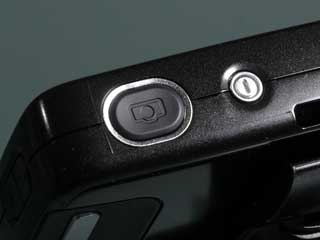
On the top of the Navman N40i there are two buttons the one with the "I" is the power button. Press this to switch the system on and off.
The second button has a picture of a camera on it and, surprise, surprise it is used to capture a digital image. |
 |
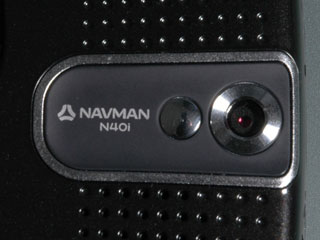
Situated on the back of the N40i is the NavPix camera. This is a 1.3 Mega Pixel camera that produces images sized at 1280 x 1024 pixels. Now as this device uses GPS it knows your precise location. This location information is embedded in the picture file creating a geo-referenced image.
Navman have called these Navpix. Now Navpix POIs are useful ie you can take a picture and have it located and time stamped, but this is just the start of the fun. You can share your NavPix on the NavMan NavPix website and help contribute to the NavPix community.
We will shortly be releasing a NavPix review to accompany all the NavPix enabled satnav GPS systems
|
 |
The Navman N40i in use
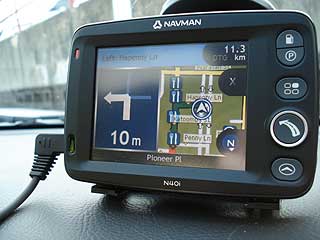
My first experience of the Navman N40i was a few days before I was due to fly to Australia. I thought that this would be an excellent opportunity to test out the satnav in an area that I had never been to before, and also have the opportunity to start a library of geo-referenced pictures.
I had problems loading the Australian maps onto my SD card so as time was critical I deleted the UK from the internal memory and installed the Aus maps there. Later when I returned I discovered that it was my SD card at fault, and I now have the UK and Australia on my system.
Once the mapping region has been selected you are ready to go. |
 |
OK as I had loaded the Australian maps I suppose I had to go to Australia... Well I actually went via Taiwan where a friend was getting married. No maps for Taiwan so I had to rely on the local taxis.
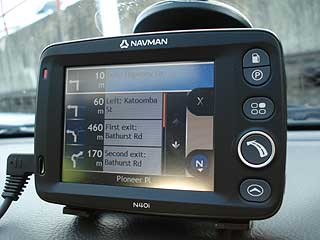
On arrival in Sydney we rented a car and set off into the Blue Mountains. We had a general idea of where we were going and a lot the time we just navigated to the centre of a town or village then explored from there.
There was one instance when crossing a mountain pass the N40i suggested that we should have turned. A mile down the road I decided that I must have missed the turning and went back, only to find that the junction didn't exist and I was on the right road anyway. |
 |
Now the emphasis of this review is on the unique feature of the N40i, which is of course the camera.
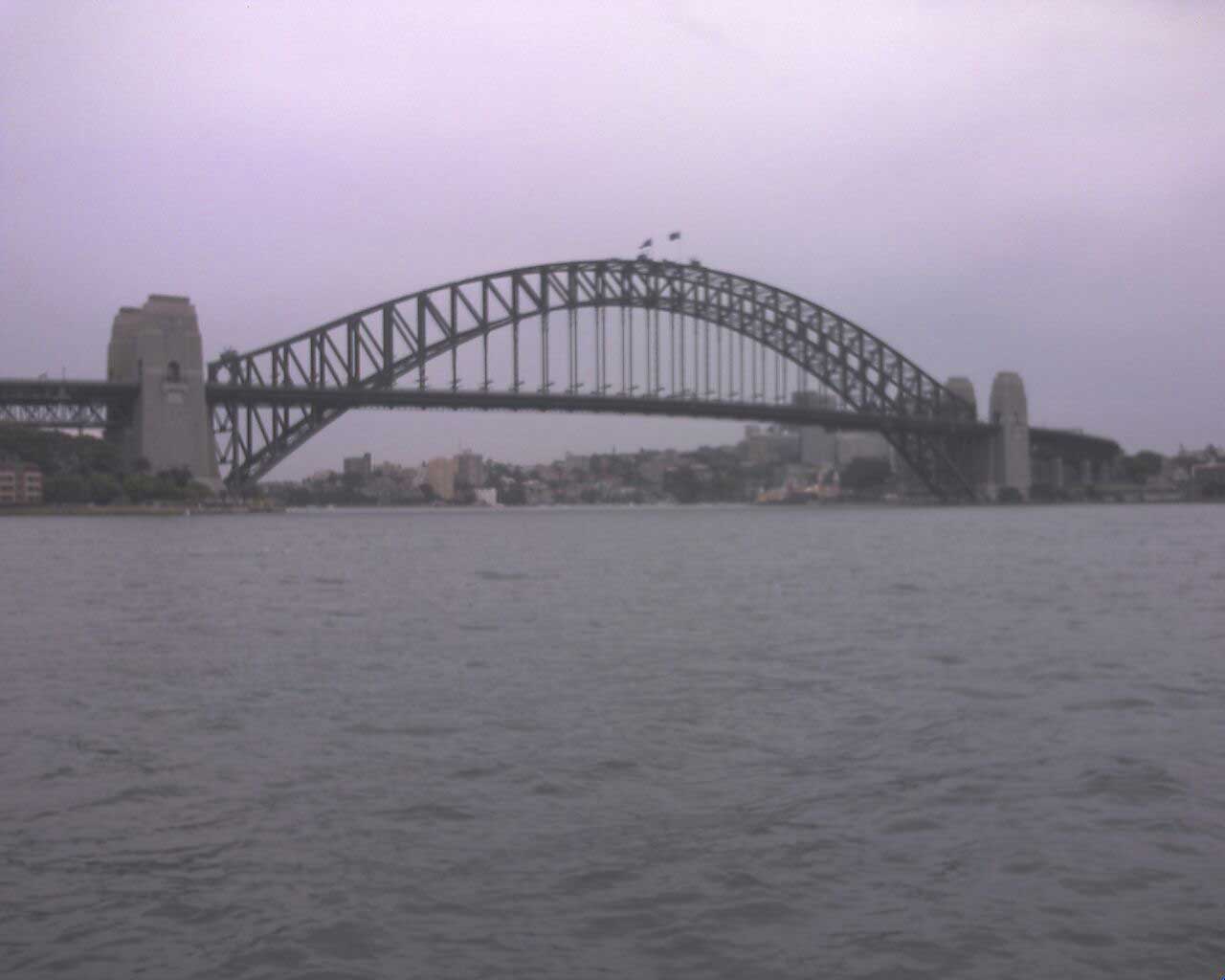
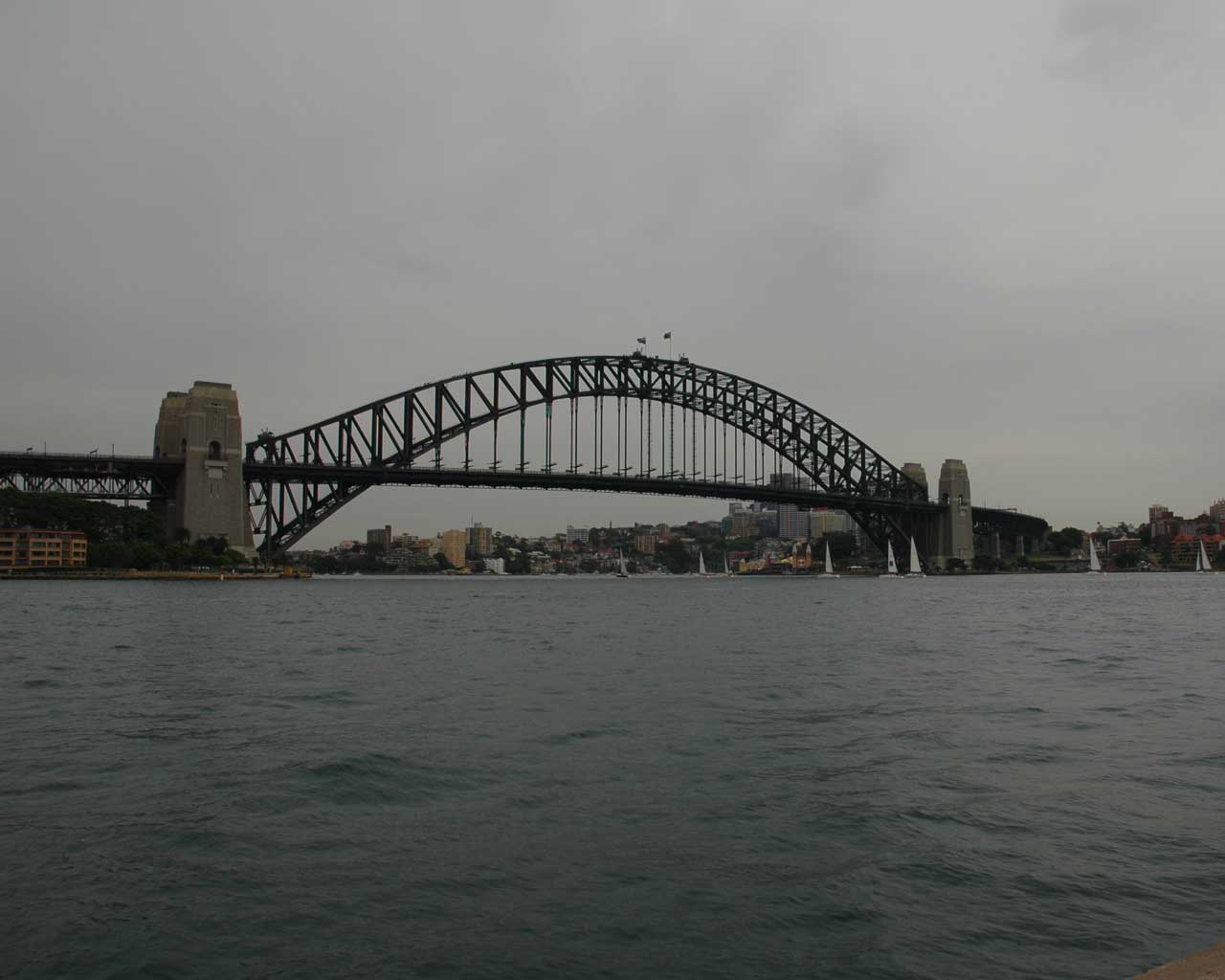
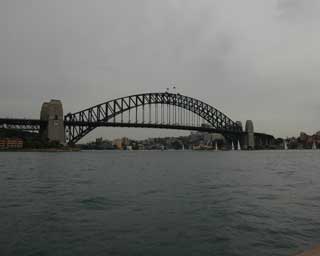
I have taken some comparative pictures one with the Navman N40i and one with a good quality digital camera. I will let you guess which is which... Click on the images to see the full sized pictures.
As you can see the N40i is never going to win any competitions for quality graphics, but that is not its main function. The images it does produce are similar quality to those taken with a mobile phone.
I actually used it to take a geo-referenced image of my location and also took some better quality images on my camera. Then I used the location information from the N40i to provide the co-ordinate data for the picture taken by the camera. I then uploaded my good pictures to the Navpix site to share with other Navman users.
Navman included a good bit of design in the N40i mount. When the satnav is locked in place you can take a picture through the windscreen without removing the satnav from the mount. This only works, of course, if the car is facing the point of interest.
The only real criticism I have of the N40i is the poor battery life. Although I never actually measured the running time using the battery alone I always perceived it to be very short. Not that this is a real problem as I normally only use it in the car and have it plugged into the charger whilst driving.
|

|
Conclusion
I think that Navman have produced an excellent Satnav system in the N40i PND. It is not perfect, but then perfection is impossible to achieve, and my idea of perfection will almost certainly differ from yours.
NavPix is a unique implementation of POIs. The technology of geo-referencing digital images has been around for some time now. I have been playing with it and trying to cobble together a workable system for some time now. Navman had the vision to combine the technologies and create an easy to use system that will grow as the community using it grows. |