 Review by Dave Burrows Review by Dave Burrows
Introduction
We announced on 13th September 2004 that Navman have three new products coming out. The Navman iCN635, iCN650 and the iCN510 (the latter of which we will be previewing here).
All three products comes complete with the new Navman V3 software which includes new features like:-
- Topographical maps
- Itinerary (multiple stops en-route)
- Base Roads of Europe
- Multiple Destinations (14 in total)
- Nearest POI to your location (e.g. Where's the nearest garage ?)
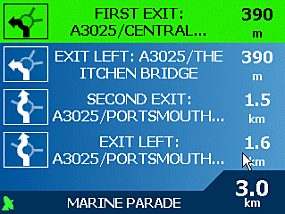
- Improved Next maneuver arrow icon with distant to move showing correct junction on roundabout to take
- Shortest Route vs Quickest Route with an Active Slider allowing you to customise how quick or show short you want the route on a sliding scale
- Active Points Of Interest
- Ability to Create, Import and Translate Custom POI's
- 2004 Map Data (Q3)
- Address to Address Postcode routing (only supporting 5 digits)
- Enhanced Route Summary
- Enhanced Zoom functionality
- Routing across rivers and inlets using shipping channels
Hardware
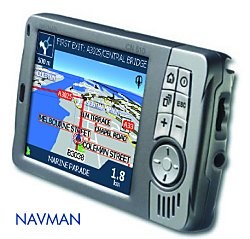
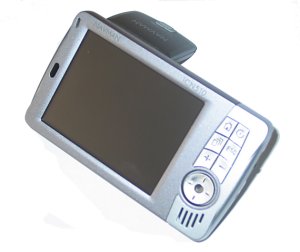
As many of you have been discussing in the forums and via email, the iCN510 looks very similar in design to a Mitac DigiWalker 136, and in-fact it does advertise itself as a Mitac DigiWalker 136 when you plug it in to the PC via USB. Navman have customised the case and buttons to give it a new design. Now although the iCN510 feels a little plasticy (just like the PiN 100), they are fairly robust. The screen is bright. Like the PiN 100, the iCN510 has a flip-up integrated antenna but this runs SiRF XTrac 2 chipset rather than a SiRF IIe/LP chipset, so the iCN510 is running the latest SiRF chipset (albeit pre V3 which is still not available yet in products to the consumer).
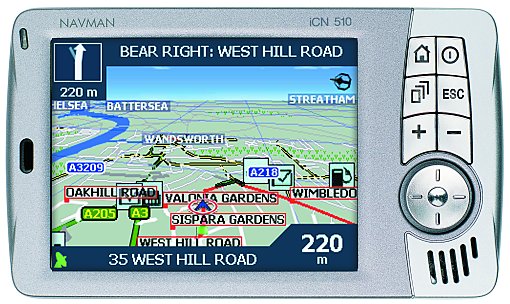
The iCN510 comes with a PXA255 processor running at 300MHz running Windows Mobile 2003 (Windows CE.NET 4.2) and comes complete with 32mb Ram. Obviously the Navman version has been highly customised and that shows as soon as you look at the front face, the sleek design and the way the contours hold well, even the buttons look nice especially when lit in blue when pressed.
The stylus pulls out from the right hand side of the unit (when the screen is facing you), you also have a job volume control on the right hand side and a headphone jack socket.
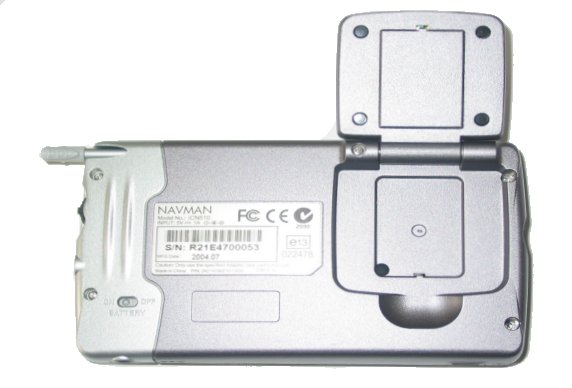
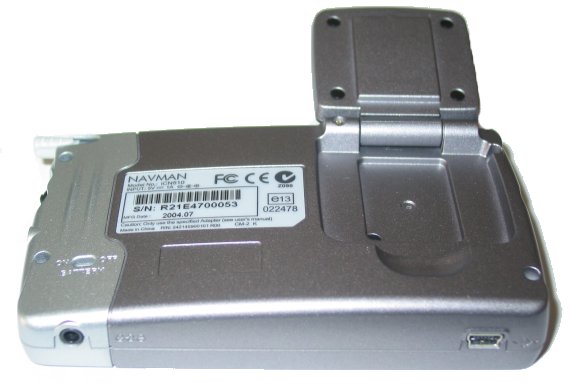
On the back you also have a hard reset switch for the battery and on the base you have a mini USB lead and a DC power socket.
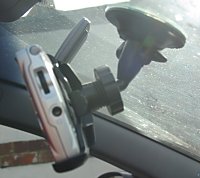 Mounting Bracket Mounting Bracket
The mounting bracket with suction cup that comes with the iCN510 I found really good.
The iCN510 clips into this nicely and it's easy to remove the iCN510 unlike the iCN630 mount which I always feel as though I'm going to break it and have to endure a tug of war session to release the iCN630 from it's tight grasp.
Some of you may think that the 510 mount because of this isn't going to be suitable, but it is, there's a distinct click noise when the 510 locks into the mount and it won't budge a millimeter!
The suction mount end terminates in a ball joint similar to the 630 so you could use a replacement 630 suction mount in the future if you wanted one in each car.
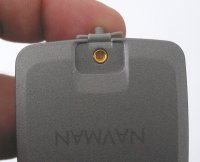 Antenna Antenna
The iCN510 has a built-in flip-up antenna, and also has an external antenna socket so that an external patch antenna can be connected if required.
Software
As I have already intimated, the iCN510 comes with SmartST V3 which is a much newer version of the Navman GPS Navigation program, including newer maps and functionality.
Maps
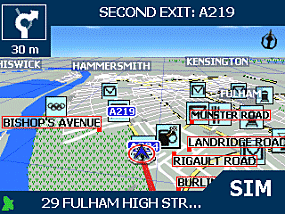
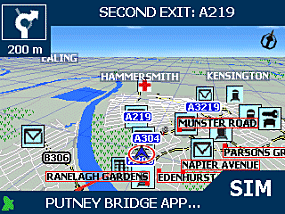
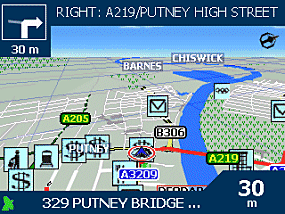
As with SmartST V2 you can pan the map and also change the elevation view from 2D to 3D by using the up/down cursor pad. When Navman say Topographical, it's not true topographical like you would see with elevation data where the maps are in true 3D with hills looking like hills.
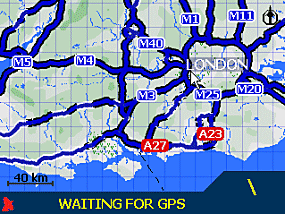 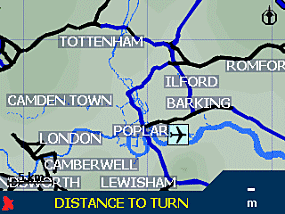
The new software basically colours the map regions better and indicates where features may be under heavy tree growth like in forests, parks etc, and also gives you lat/long grid lines on the map. You will also notice a much better horizon line with sky compared to the older version.
Next Turn Screens
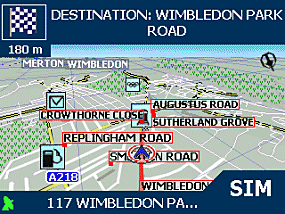
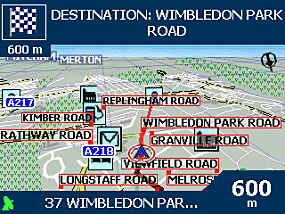
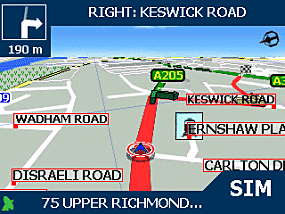
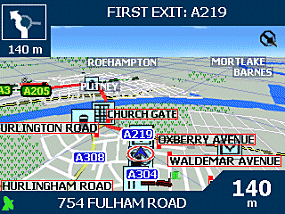
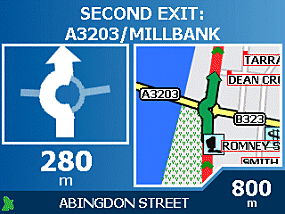
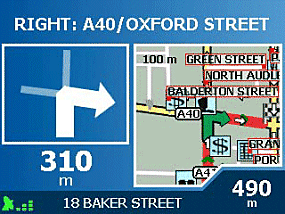
You will see the Next Turn screens much better now which are accessible from pressing the page button. This not only gives you the correct turn from the roundabout or junction to take (where as before it was a generic icon), but it also shows you the turn on the map and will show your pointer when you approach it. This makes navigating some junctions a lot easier. If in doubt, hit the page button!
Routing Options
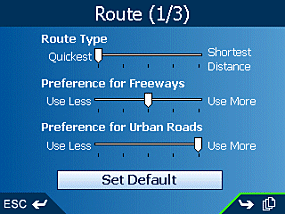
Routing Options is something that Navman have dramatically improved with V3 software. You now have the ability to not only select the Quickest or Shortest route, but it is provided on a sliding scale, so if you want something slightly in-between then you can adjust the slider to the position you feel more comfortable with. Navman have also made the sliding scale available for Freeway/Motorway and also Urban Roads, so you can truly customise your routing options here and make sure that you are routed by the preference you prefer.
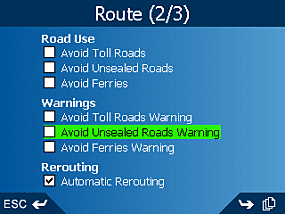
You also have the ability to Avoid Toll Roads, Avoid Unsealed Roads and Avoid Ferries which are new features that also augment the routing algorithms, and you can toggle on and off the warnings for each of these, and select whether you want to be automatically re-routed
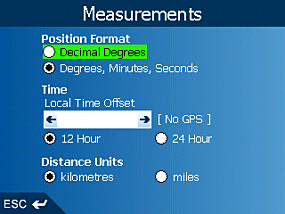 
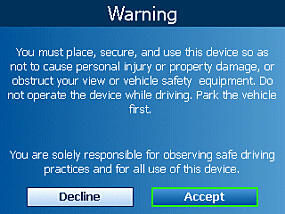
Warning and Language Nothing really to mention here apart from you can select from a large selection of languages and that you should not be using the cursor pad whilst driving!
Routing Algorithm
I have found that having the routing option set up as the default in the screen to the right, e.g. bias complete towards Quickest, Preferences for Freeways set at mid-point and Preference for Urban Roads set at Use More, this seems to give the most accurate journey for the types of journeys I have been driving.
The best thing to do is to try each setting for a few days or maybe a week and see what you think is better for the roads you prefer to travel on.
Also try driving different roads, to different destinations, do not just solely rely on your trip from home to the office each day as this may be good when set to one setting but may not be good when you set it to a different setting.
Trip Planner
Navman have now implemented a Trip Planner screen where you can add up to 14 destinations. It sorts them in the order you have added them, so if you want to optimise the route you will need to do this manually yourself. There is also a facility to MOVE the address and to manually sort them by tapping and holding an address in the Trip Planner screen and then selecting MOVE, then use the cursor pad (not touch screen) to move the address up or down.
Display Settings
You have the ability to set the display to auto-zoom when close to a junction, to Display Next Turn Screen and also to Display Next 4 Turns Screen. You can also change the Map Colour Scheme from Desert to Ocean, Snow, Salmon, and High Contrast as well as set the map colours from Day to Night and to turn on/off the Topographical Display. Navman have also give you the ability to turn the Map Grid Display on/off, the Compass on/off and No Entry Roads on/off.
POI's
You have the selection of showing POI's on the Map screen or to not show these. Categories include:- Accommodation, Amenities, Automotive Facilities, Buildings and Monuments, Entertainment, Financial Services, Food and Drink, Institutions, Medical Services, Natural Attractions, Shopping, Sports Facilities, Tourist Attractions and Transport.
Active POI's
Active POI allows you to import CSV files with details like Lat/Long and Name into the iCN510 and this will allow you to add-on new custom POI's from PocketGPSWorld.com and also our Safety Camera Database. Unfortunately we didn't have the software available in the beta version to import this, so could not test it's functionality or accuracy. You can also set speed reminders in telling you if you are over the speed limit and also Warn driver when operating plus Warn when GPS lost.
 Problems Encountered Problems Encountered
To start with I really liked the cursor pad. Sitting at a desk the cursor pad was real touch sensitive and made controlling the iCN510 very easy. However, take it in-car and try to navigate with the cursor pad and you'll find once it's suctioned to the windscreen it's too sensitive. Now, bear in mind that you shouldn't be using this to enter addresses whilst driving, or to be scrolling through menus, so although it may be a problem for some, it shouldn't be for most. You can still use the touch screen rather than keypad if you want though.
The only other issue I did find in the pre-release version we were provided was that panning between 2D and 3D sometimes took anything from 3-10 seconds per elevation tilt, with over a dozen tilts to go through this seemed to affect the speed of the iCN510. I am told by Navman that this is due to the software that we received still being in beta and that it's not fully optimised. The production release should not exhibit this problem.
These are only minor niggles, there really was nothing else that caused major concern.
Conclusion
The iCN510 really is a good product. Why do I like this so much ? Well if you compare it to the nearest competitor which is TomTom GO, then it's a much slimmer product, fits in your shirt pocket and is pleasant to use. TomTom GO likewise is a great product but it's a little over-sized with it's built-in sensors, and you are sort of left wondering where to put it when you leave your car for a walk around town. Not with the iCN510! Compare the iCN510 with the new Garmin Quest, and although the Quest is smaller in size, even better for the shirt pocket, there's a huge compromise on the size of the screen. That's 3.5" for the iCN510 compared with 2.2" for the Garmin Quest. You can sort of see where I'm coming from here. The iCN510 gives you everything you want without sacrificing the size of the screen.
Overall the iCN510 is a great product, it's like a PDA but it's not, if you hard reset it, the V3 software will re-run itself. It's an entry level iCN and one I think will fit good into the Navman iCN range, especially with the new features like Topographical style maps, Active POI's, this really does enhance upon Navman's current software version.
|