|
|
 |
 |
 |
 |
| Memory-Map Navigation Workshop DVD review |
31st January 2005 |
|
 Review by Mike Barrett Review by Mike Barrett
For those of you who were not part of Lord Baden-Powell's Boy Scouts during your childhood, or have not experienced the delights of orienteering then navigating could be quite daunting.
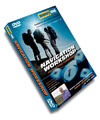
Don't worry help is on hand with a new DVD from Memory-Map titled "Navigation Workshop" priced at £29.99. This is an interactive instructional DVD taking you from the basics of navigation through to the use of GPS when pursuing outdoor activities.
|
|
| Overview
Memory-Map is a name well known in the digital mapping arena. Just before Christmas Memory-Map UK released the "Navigation Workshop DVD ", a DVD giving you a grounding in map reading, navigation and the use of GPS.
Sir Chris Bonnington is quoted as saying the new DVD "Provides the skills needed to conquer the challenges of navigation".
Aimed at new GPS users this DVD combines interesting video, with interactive testing at the end of each section.
This cumulates with practical lessons in digital mapping techniques.
|
 |
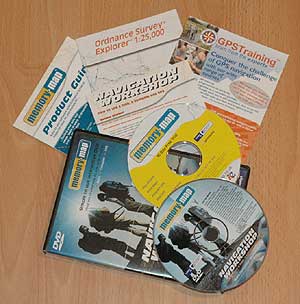
| What's in the box The package comes in a a standard sized DVD case and not only holds the interactive DVD, but also has a 3 month trial copy of Memory-Map Navigator on it.
You will also get a double sided map one side at 1:25,000 scale the other at 1:50,000. This covers the Bannerdale area of the UK Lake District. This is used in the DVD for the examples.
There is also a Getting Started instruction leaflet explaining how to use the DVD and how to install and register Memory-Map Navigator.
I also had a couple of relevant Memory-Map and GPS training fliers. Good basis for your next steps in the world of GPS navigation.
The Memory-Map disk has sample maps of the Bannerdale area of the Lake District including Aerial Photography of the region. Now not all of us can get up to the Lake District so Memory-Map have also included a small sample from each of 20 regions of the UK as well.
|
 |
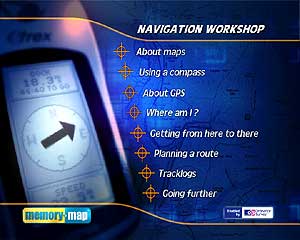
| The review When you put the DVD into your DVD player you are presented with the menu to the right. This is the main "Navigation" (sorry but I had to do that!) for the interactive sections. When you select an option it will present a secondary menu with each individual lesson or session.
With this structure you can take your time and go through the DVD at your own pace. At the end of each section there is a short interactive quiz. These are not difficult, and are very closely related to the topics covered in the section. The quiz is optional, but I would recommend taking it anyway. I was caught out by a couple of the questions (Probably not concentrating hard enough!!).
The DVD starts with a section about Maps. |
|
These items take you through the basics of topographical maps. You will see what map features are and how the physical world is represented on paper maps.
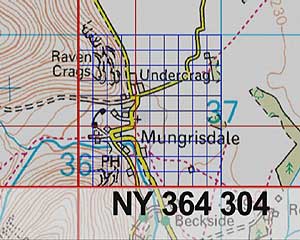
You will also learn how the country is split up into sections which allow you to find a grid reference which will pinpoint your position on the map. The image to the right shows Ordnance Survey grid reference NY 364 304, which represents the Church (the '+') in Mungrisdale. I would have said NY 363 302 would have been a better example (the PUB).
This also covers contours and how you can recognise hills from the contours on the map.
The next section is all about using a compass and techniques to synchronise the map and the land features. |
 |
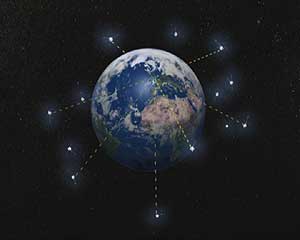
The following section introduces GPS. This describes in simple to understand terms how GPS works and how accurate it is. You will also learn about more accurate GPS technologies such as WAAS and EGNOS. Don't be too concerned with the terminology you do not have to understand it to use it.
One of the lessons describes the features of a handheld GPS, the types of display that you could expect to see.
There is also a section on setting up the GPS, which they describe as the "Single most important thing to do correctly, if you don't your GPS could give you wrong positions". To understand this you will also need to have understood the previous mapping sections. |
 |
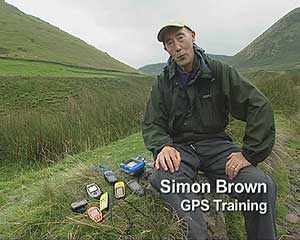
The final item in the About GPS section is a guide to choosing a GPS receiver. Here Simon Brown of GPS Training explains some of the different options available, and the features to look out for.
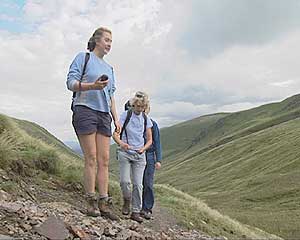
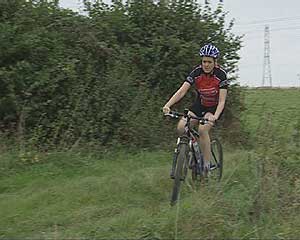
This article also features user case studies from differing usage models. In one example GPS on a mountain bike is examined, others focus on GPS usage for hill walking.
There is a good comparison between the different classes of handheld GPS and some good advice: Ask a friend who has one; attend GPS training; get hands on experience.
You could also come along to one of the PocketGPSWorld.com Pub Meetings, strangely they did not mention that!! |
 |
 |
 |
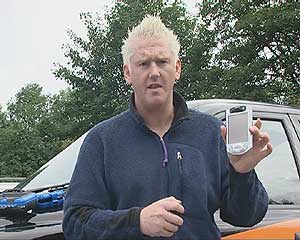
This section is, sadly, the only part of the DVD that actually mentions PDAs and then only briefly.
Following on from the Introduction to GPS there is the "Where Am I" section. This compares traditional location method to that of the GPS. Traditional methods are quoted as being "more like an art than a science".
This section then goes on to cover waypoints, often called marks, and how they are used in the GPS receiver.
The next section is "Getting from here to there". This covers gotos and routes, how to create routes, and how to navigate to places both with a compass and with a GPS.
|
 |
The next section introduces Digital mapping and comparing the difference between planning a route on a paper map to one planned on a computer. Not surprisingly the application demonstrated is Memory-Map.
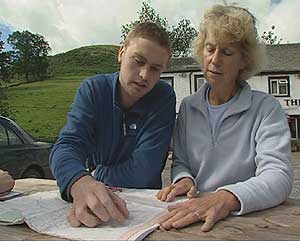
The image below shows the manual route calculation process. The couple are determining the waypoints on the map and then entering them into the GPS receiver. Then they will connect them together to create the route.
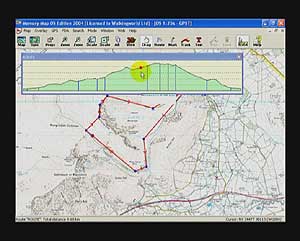
This is contrasted to computerised routing. The example shows a couple of different ways to create the same route, and also highlights how you can analyse the route. The example to the lower right shows the elevation profile analysis. |
 |
 |
 |
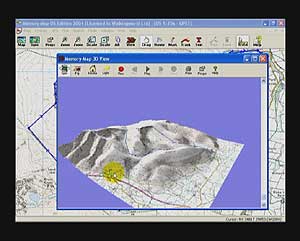
Once you have created your route you can display it in 3D to get a better idea of the terrain and difficulty of the journey. The samples also have aerial photography so you can see how the land lies from a birds eye view.
The final component of this section discusses how to transfer your route from the computer to your GPS receiver.
The next section of the DVD handles the actual field use of the GPS receiver to record your track log and additional waypoints. This also covers the use of your track to safely escape from the route if conditions worsen.
Also included is adding additional information to the route on your computer such as photos or comments. |
 |
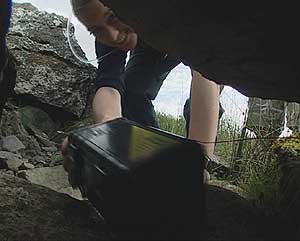
The final section of the DVD provides additional resources which enable you to find out more about using the GPS and things you can do with it such as Geocaching.
One of the more interesting items is the WalkingWorld.com article. There they have a database of routes in Memory-Map format that can be downloaded for an annual fee.
Another interesting chapter is the bloopers and credits. I am quite sure that there are many more clips that are on the cutting room floor, and probably not suited for inclusion. This brought a little light heartedness to a serious instructional DVD. |
 |
|
| Conclusions
As you may have gathered I was not only a Boy Scout, but my parents were Scout Leaders. I learnt to read maps almost before I could read books! That said I still managed to get a couple of the questions wrong. The moral being that even "experts" can get it wrong and you should always sharpen up your skills.
The main audience of this DVD is very much towards hand held GPS receivers, and also novice users. It achieves this in a very clear and understandable manner. The mix of content is good, with well defined examples, and practical case studies.
I was a little dissappointed with the lack of attention to the application of GPS on PDAs as this is one of the areas where GPS can really shine. That said though basic skills navigation are still required when out in the wilds, you cannot rely on technology, it is just an aid.
The mountain rescue teams throughout the country, but particularly in the Lake District are inundated with call-outs which are often attributed to people going out into the mountains with inadequate navigational skills. For those of you wanting to enjoy our wonderful countryside this is an excellent introduction to navigation techniques. Please remember though that navigation is only one aspect of safe mountaineering. |
|
|
|
 |
 |
 |
 |
|
|