|
Review by
Dave Burrows
 Magellan are a well known name in the handheld GPS
arena, along with Garmin they pretty much cover the majority of the handheld GPS
market. Magellan have a whole range of GPS receivers which you can load
MapSend (maps) onto which includes the Magellan Meridian range of GPS Receivers
and also the Magellan SporTrak range. In this review we won't cover the
GPS Receivers, but we will cover the MapSend product. Magellan are a well known name in the handheld GPS
arena, along with Garmin they pretty much cover the majority of the handheld GPS
market. Magellan have a whole range of GPS receivers which you can load
MapSend (maps) onto which includes the Magellan Meridian range of GPS Receivers
and also the Magellan SporTrak range. In this review we won't cover the
GPS Receivers, but we will cover the MapSend product.
Magellan currently have a complete range of
European and North American maps. These are covered under the following
product sets:-
-
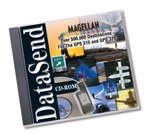
 DataSend DataSend
-
DataSend Europe
-
DataSend
Europe software allows you to download your routes and waypoints from your GPS
receiver to your PC, to easily record your journeys and edited them for future
use on a new adventure. For use with your Magellan SporTrak, GPS 315, GPS 320 or
SP24 receiver.
-
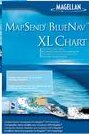
MapSend BlueNav Charts
-
Available on convenient preprogrammed Secure
Digital (SD) memory cards and CD-ROM, MapSend BlueNav charts offer a complete
range of detailed marine cartography for your Magellan
Meridian Gold, Marine, Platinum and Color,
Magellan FX324 MAP and FX324 MAP Color, or
Magellan SporTrak Pro (CD-ROM only),
SporTrak Pro Marine and SporTrak Color. Derived from Navionics
Gold charts, MapSend BlueNav charts are the most advanced marine cartography
available, providing large, highly detailed coverage areas and enhanced marine
navigation information, including marine currents, tides, port services and much
more.
-
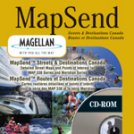
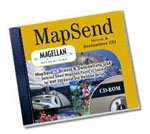
MapSend Streets & Destinations Canada
-
Detailed street-level maps of Canada make GPS
navigation in Canadian land and marine regions even easier with your Magellan
Meridian series, SporTrak Pro, SporTrak Pro
Marine, SporTrak Map, SporTrak Color, MAP 330 or MAP 330M handheld receiver.
-
MapSend Streets & Destinations in the US
-
Detailed maps make GPS navigation even easier with
your Magellan Meridian
series, SporTrak Pro, SporTrak Pro Marine,
SporTrak Map, SporTrak Color, MAP 330 or MAP 330M handheld receiver.
-
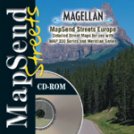
MapSend Streets Europe
-
Detailed street-level maps of Europe make GPS
navigation in the region even easier with your Magellan
Meridian series, SporTrak Pro, SporTrak Pro
Marine, SporTrak Map, SporTrak Color, or MAP 330 handheld receiver.
-
MapSend Streets in the US
-
Detailed street-level maps of the U.S. available
in regional files allow you to download just the maps you need, saving memory
while making GPS navigation even easier with your Magellan
Meridian series, SporTrak
Pro, SporTrak Pro Marine, SporTrak Map, SporTrak Color, or MAP 330 handheld
receiver.
-
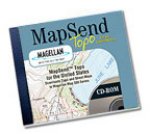
MapSend Topo in the US
-
The most advanced GPS topographic software
available, Magellan MapSend
Topo in the United States maximizes the navigation capabilities of your Meridian
series, SporTrak Pro, SporTrak Pro Marine, SporTrak Map, MAP 330 or MAP 330M
handheld receiver.
-
MapSend WorldWide Basemap
-
Extend your GPS basemap coverage to any region
around the globe by adding a MapSend
WorldWide Basemap to the built-in basemap of your Magellan Meridian
series, SporTrak Pro, SporTrak Pro Marine,
SporTrak Map, SporTrak Color, or MAP 330 GPS receiver.
In this review we will cover the MapSend Streets
Europe CD. MapSend price varies depending on the GPS Receiver you want to
use it for.
 Installation
& GUI Installation
& GUI
Installing MapSend is easy, just insert the CD and
follow the on-screen prompts. You'll be greeted with two types of install,
a minimal install which will copy around 60mb of data to your hard disk, or a
full install which is around 500mb of data copied to the hard disk.
If you select the full install, then you won't
have to use the CD again whilst it's installed onto your hard disk. Once
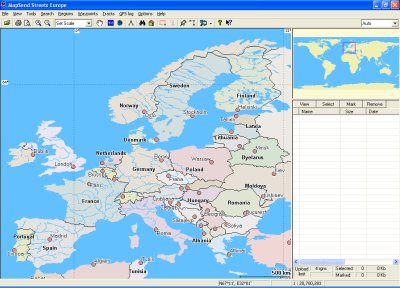
installed, running up the MapSend program will greet you with a mapping screen
like the one to the right..
Very similar to a screen you'll find in most
mapping programs, it will give you a complete map of the area of the earth.
MapSend comes with a fairly default toolbar.
You'll see from the screenshot below, that everything is in it's usual place,
you have a zoom in and zoom out option, a scale option, a
hand which allows you to drag the map around on screen (notice above that
there are no scroll bars!). You then have two icons, one is shown as EU
and one of the earth. This will zoom out/in to the area
depending on the button you select, which is just used for a quick zoom
feature.

You'll
also notice to the right of this there's a measuring tool, this will
allow you to measure two points on the map and find the distance between these
points. You also have a search by name (binoculars), Search by
address (house), the draw region tool and the cut region tool
(grayed out). Finally you have the place waypoint button, build
route, upload regions (to GPS), about and what's this.
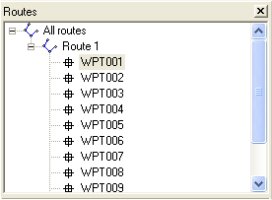
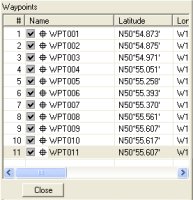
That
pretty much covers the map and the toolbar, on the right hand side of the window
you have (top right of screenshot) the Routes where waypoints can be set, and
below this (bottom right of screenshot) you have the waypoints with latitude and
longitude co-ordinates. You can see these below.
Map Detail
Once you have the maps installed you'll find
there's quite a level of detail. Magellan have full street maps for Europe
in this product that take you right down to the smallest of roads, and is on par
with Microsoft AutoRoute, and Garmin's own mapping products for their GPS
Receivers. Both Garmin and Magellan use NavTech for the geodata provider
which is good to see as NavTech maps are more accurate compared with other
geodata providers across Europe.
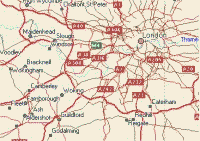
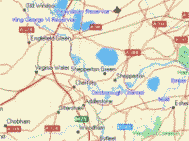
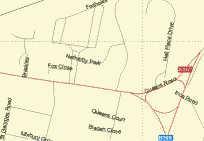
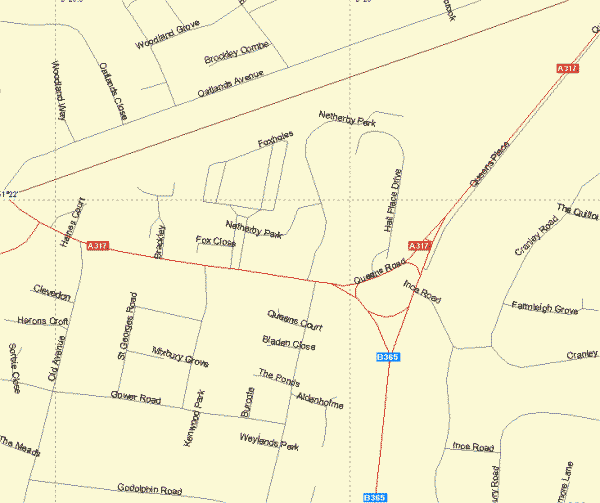
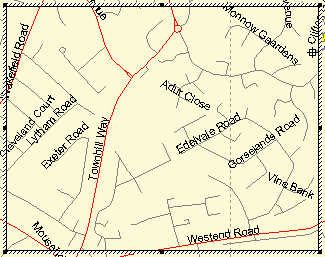
Below you'll see a full zoomed in map right down
to street level. The roads may look a little basic, but do you really need
a high level of detail on a handheld GPS Receiver ?
Uploading Regions
Once
you've zoomed in to the map area you want you can then use the draw region
tool to drag across an area of the map. This will then create a box
which can also be dragged around the map to place it over the area of the map
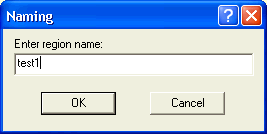
you wish to download to the GPS Receiver. If you then the cut region
tool then you will then cut this for upload and be asked to name the region.
A region is a section of map that can be highlighted and
cropped to the area you require, and uploaded to the GPS Receiver to cover
the area you will be passing when using the GPS Receiver.
 Routes Routes
On
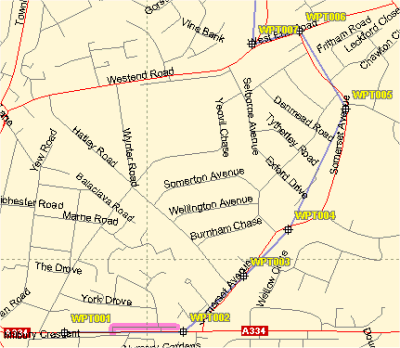
MapSend Streets Europe you can also create routes.
This
allows you to add waypoints to the map at designated intervals, and then create
a route out of these waypoints.
When you
use the build route tool, it will plot a route as the crow flies rather
than using streets, so if you want to create a route then you will need to plot
quite a number of waypoints across a route to take this into account.
You can
see how the waypoints are set out on the screenshot to the left, and how the
route will go directly from one waypoint to another, e.g. WPT004 to WPT005.
This
route when finished can then be uploaded to the Magellan GPS Receiver and allow
you to use it on your journeys.
Other
MapSend CD's
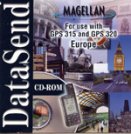
Magellan
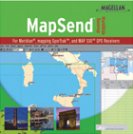
do a whole range of MapSend CD's. Here's just a small selection of what's
available.
Summary
If you have
a Magellan Handheld GPS Receiver and you're looking to add map support
to it over and above the standard base map, then you'll need MapSend.
Magellan GPS Receivers can only accept a Magellan map, so you won't be
able to upload custom maps from other products, so make sure you
purchase MapSend for mapping support.
|