Review by Lutz Bendlin
 Introduction Introduction
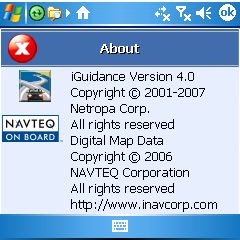
Semsons have asked us to review the new version of iGuidance. Since we have done an extensive review of the previous versions 2.1.3 here and 3.0 here the current article will focus on the main differences from those versions.
What's in the box
iNav iGuidance 4 again comes on one DVD - very convenient for the map cutting step as no disc juggling is required. Erm... Full stop. There is no more map cutting application!!!
The North America map requires about 1.3 GB of free space on your storage medium. That is ok if all you do is navigation but epecially for people that use their device for many different purposes this will be a large issue. The issue is made worse by the fact that most conventional Pocket PCs only support SD cards upt to 2 GB.
I would have liked to see the map cutting application included. This would have given the end user the choice of selecting the whole map or just a piece representing the normal driving range.
Installation
One area where iGuidance shines is the multitude of supported platforms.
For illustrative purposes I have extracted the individual executables from the CAB files.
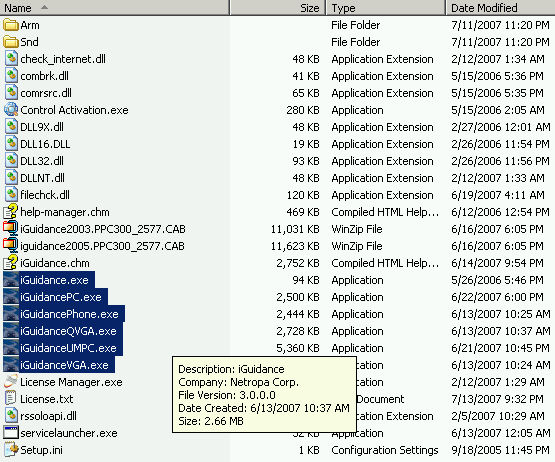
iGuidance.exe = This is a launcher stub to improve the performance of the Windows Mobile start menu. All programs that are linked in the start menu are parsed for their logo so that the logo can be displayed in the stat menu. For large programs this takes very long. The right way around this is - as demonstrated here - to have a small file with the logo, and then launch the big file from the small file.
iGuidancePC.exe = For standard Windows devices. Everything from Windows 95 onwards is supported.
iGuidancePhone.exe = The title is a bit misleading, this is for Pocket PC (phone)s with square screens.
iGuidanceQVGA.exe = yes, for QVGA PDAs
iGuidanceUMPC = similar to iGuidancePC but with larger fonts for easier readability. I have no idea why the file is twice as big.
iGuidanceVGA.exe = for VGA PDAs.
I am not sure if the Pocket PC program will support other screen resolutions correctly (like 320x320 or the new WVGA 800x480), I know that the UMPC version does scale gracefully.
Judging by the CAB file names Pocket PC2002 and lower are not supported - but you may still want to try it out. It may just work since the program itself does not employ any Windows Mobile UI features.
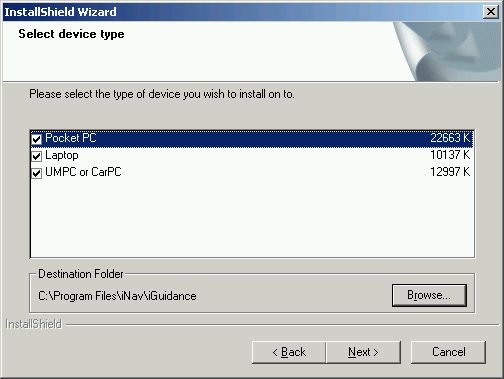
You can use the setup program that is provided on the DVD, or you can manually copy the "iNav iGuidance" folder from the DVD to the root of the storage card (beware, this is 1.3 GB so you better have a card reader or at least a USB 2.0 Pocket PC) and then copy the appropriate CAB file to the Pocket PC and execute it there.
One of the new features of iGuidance 4 is Text-to-Speech. They use the ScanSoft RealSpeak Solo engine for that, and the individual components of that engine will cause a good dozen of security alerts on Windows Mobile 5 and beyond. Fortunately this is just a one time annoyance.
Licensing
iGuidance 4 is the first version that requires a licence, but only for the desktop version. You can still install the program to as many Pocket PCs as you want.
The License manager takes care of this task. For my review I chose Email activation, yourmethod may vary.
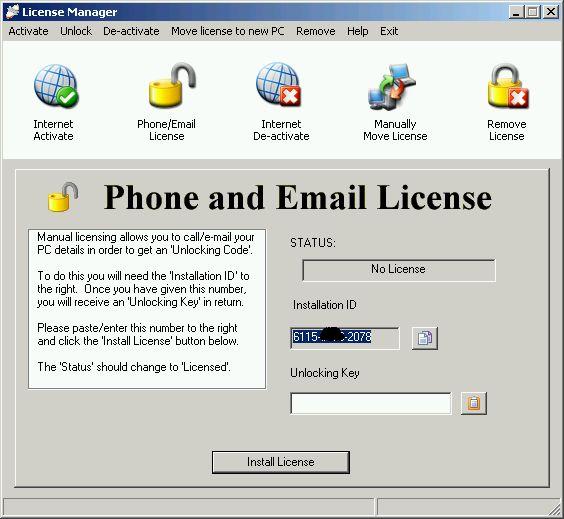
After I received the unlocking key for my installation ID I entered the key...
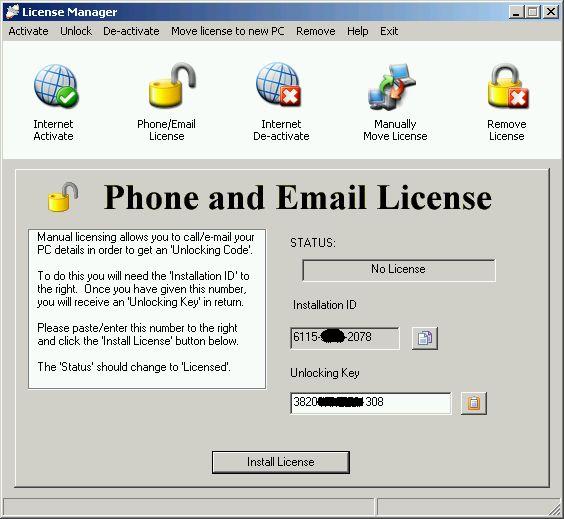
... and got my license number for the current PC.
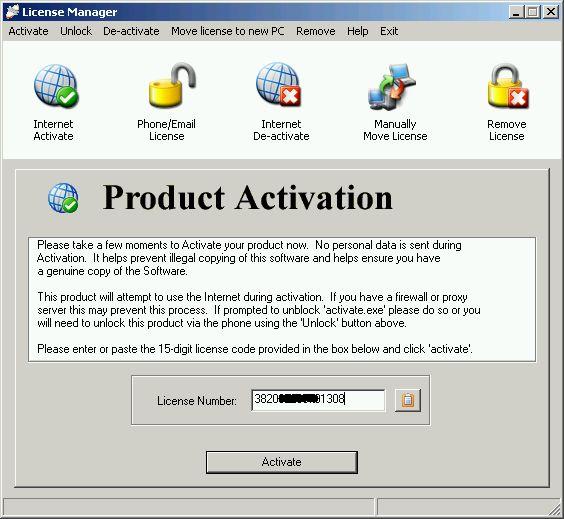
Of course I installed everything to the wrong PC, and was thus forced to test the "Manually Move License" function.
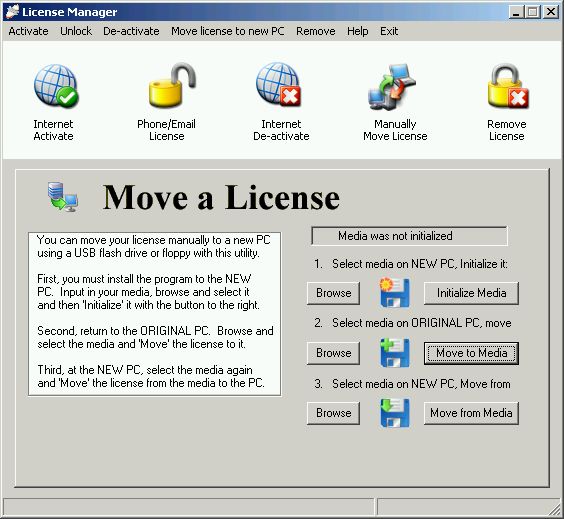
"Media" can be your storage card, but a USB stick will do too. You may want to use an empty media to make sure the initialisation doesn't wipe any of your data.
The license transfer process is not exactly simple, but the big advantage here is that you can actually do it yourself without the need to call some hotline and argue with them about why you want to move the program to a different PC.
One scenario is left out - again - and that is when your old ("original") PC is no longer able to transfer the license. This may be because the hard disk had crashed, or because the PC suddenly got the walkies. So - always remember to do a good backup... If all else fails you will have to call the support hotline.
Using the program
In the previous reviews we complained about poor user interface design and color choices. Only a few things were corrected, but that's better than nothing...
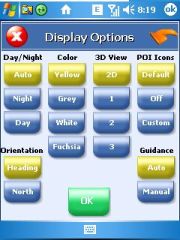 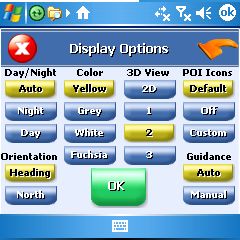
In the review for iGuidance 3 (left image) we griped: "See what I mean? The white 3D shadow is at times making it completely impossible to read the (poorly contrasted) white labels on the light blue buttons."."
Note that the button text in iGuidance 4 (right image) is now better readable due to more intelligent color selections and shadings.
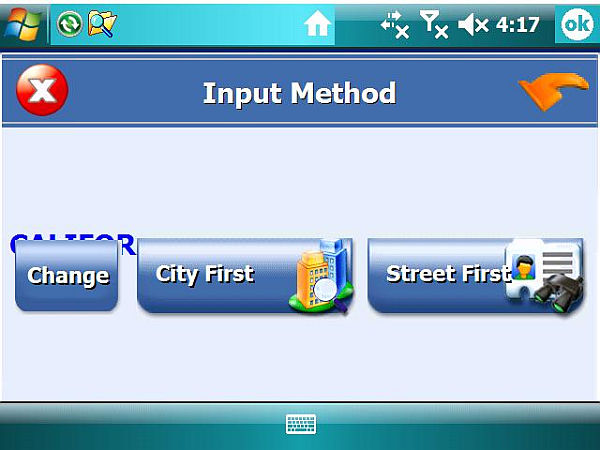
iGuidance 4 has a few problems with the VGA landscape mode of the HTC Athena. Hopefully these can be fixed by a patch build.
The program also tends to crash when asked to navigate to one of the POIs. This is not a big loss since the POI collection is still rather unimpressive. This is probably due to the price point of the program.
Text-To-Speech
Let's talk about the one feature that makes iGuidance 4 worth considering. No, I am not referring to the 2006 Navteq maps (Possibly newer maps would make the product more expensive).
iGuidance 4 still comes with the WAV file collection of the previous versions. This is certainly sufficient for most navigation voice instructions, however as we have seen from more and more PNDs the actual announcement of the street names does indeed provide an additional level of comfort.
Very few Pocket PC navigation programs have a (decent) TTS engine. Those who used Mapopolis know what I mean. So it is even more impressive to see a real TTS in action on a Pocket PC budget application.
Initially iGuidance offers a rather weird initial choice of the spoken instructions. Street names are spoken by the TTS engine, everything else by the old style WAV files. So you get told by TWO women what to do...
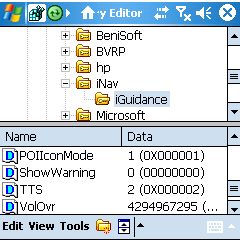
Thankfully a user at the BuyGPSNow forums has found a workaround. You need to create a registry entry "TTS" and set it to 2 to force the program into full TTS mode. I very highly recommend you do that (HKCU\Software\iNav\iGuidance).
I had to use the program during a recent business trip to the Silicon Valley. Their road system is confusing, to say it nicely. So I was very surprised and pleased when I heard the TTS giving me very detailed instructions to stay on a particular highway, then to keep left to take the exit to another highway and to follow the signs to a particular suburb.
When you approach your destination the TTS engine will (as the WAV files did too) tell you which side of the road your destination is on. I am still baffled that so few other programs offer this very helpful feature.
|