|
|
 |
 |
 |
 |
| Garmin StreetPilot 2820 SatNav review |
Date 26 December 2006 |
Review by Tim Buxton and Mike Barrett
I was recently sent a Garmin StreetPilot 2820 for review and after using it for a few weeks I have found it to be a capable unit, although I do have a couple of reservations which will come to light later.
My first ever GPS device was a Garmin GPS 3+ with which I toured a lot of Western Europe on my motorbikes but the 1.44Mb of user memory was somewhat restrictive. I sold that unit but still have the one I replaced it with, a Garmin GPS V, so I am used to operating this type of device and have always found Mapsource, the Desktop application, easy to use.
|
|
Overview
The StreetPilot 2820 is the latest in a full range of SatNav systems from the Garmin Stable. With each new system we see improved hardware, more sensitivity on the GPS front and lots of new and unique features on the navigation software side.
The 2820 is a unit without an internal battery or speaker, aimed very much at the car/bike market. With new and added features such as audiobooks/mp3 player and tour guides this is opening up a new area of applications in the SatNav market.
With a street price of around £540 it is far from being a cheap SatNav system. Does it live up to this price tag?? Read on and find out...
|
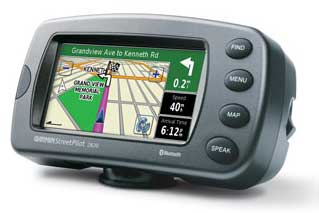
The Garmin StreetPilot 2820 |
Whats in the box
The Garmin GPSMAP StreetPilot comes with the following in the box:
- StreetPilot 2820
- Preloaded City Navigator® NT North America or Europe (full coverage)
- MapSource® City Navigator NT DVD (full-unlock)
- Alphanumeric remote control
- External microphone
- Dash mount
- Portable non-skid mount
- 12-volt power cable with external speaker
- AC power adapter
- USB interface cable
- Protective cover
- Owner's manual
- Quick reference guide
|
Manufacturers Specifications
The official Garmin specifications for the StreetPilot 2820 are:
From the Garmin site:
- Receiver: WAAS-enabled 12 parallel channel GPS
- Display: 3.3” W x 1.7” H (3.8” diag.), 454 x 240 pixels; bright, automotive-grade
- 64K color TFT with automatic dimming backlight and touch screen
- Unit dimensions: 5.6" W x 3.2" H x 2.0" D
- Weight: 0.91 pounds (411 g)
- Bluetooth wireless technology for hands-free calling and navigation audio prompts
- Supports FM TMC traffic alerting
- XM NavTraffic capabilities
- Preloaded maps for all of North America or Europe
- Voice announces streets by name
- Look up addresses and points of interest
- Choose 2D or 3D map perspective
- Fingertip touch-screen interface and remote control
- Upload custom POIs, including alerts for speed zones, safety cams, and LPG filling stations
- Built-in MP3 and audio book player
- Waterproof: IEC 60529 IPX7 standards (submersible in one meter of water for up to 30 mins.)
- 2.5 mm microphone input & 3.5 mm stereo headphone/line-out jack
- Improved track log with 10,000 track log points
|
|
The Garmin 2820 review
The Garmin StreetPilot 2820 is the the latest in the 2xxx family of Garmins. The first thing I noticed was the weight of the unit. Garmin has it at 420g (the Navman iCN750 weighs in at 300g) and it certainly looked and felt the part.
The touchscreen is a 17:9 aspect WQVGA and is slightly smaller all round than the TomTom GO910, although the unit itself is much bigger. The preprogrammed 2Gb internal memory has the full CityNavigator 8+NT mapset on it and has around 640Mb free for mp3s, Custom POIs, audiobooks and more.
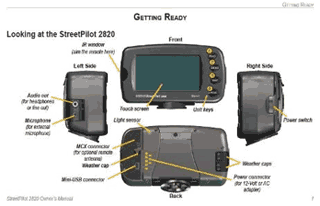
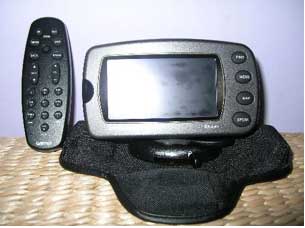
To the right is a layout of the various buttons and ports/sockets on the receiver and below is a picture of the unit in the dashboard mount, with the enormous, but very capable, remote control.
You also get CityNaviator on DVD, a dashmount, non-skid mount, 12v power lead with speaker, ac adapter with UK, US and EU plug attachments, external mic, USB cable, Printed Manual, Quickstart Guide and a remote control (although this is listed on the box, it is also shown as an optional accessory elsewhere).
The unit is waterproof to IPX 7 (1 metre of water for 30 minutes) but the remote control isn’t. Motorcycle brackets are available as accessories. |
 |
 |
So, having applied power, turning the unit on results in a splash screen. |
 |
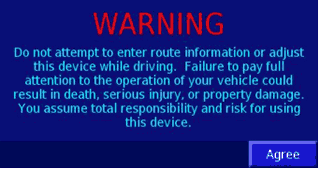
Then a warning, (you don’t have to Agree, it will move on after a short while). |
 |
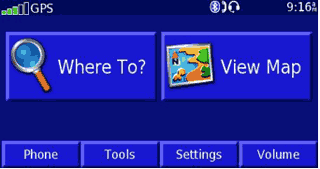
And then the Menu screen...
As you can see, I already had a fix when I took this shot, as depicted by the green bars by ‘GPS’ (the more the merrier, as usual) and I’d already enabled Bluetooth and paired with my mobile ‘phone and a ‘Headset’, but more of this later. |
 |
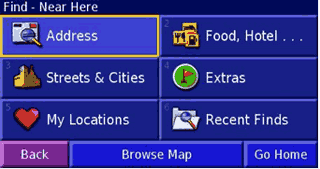
To navigate somewhere you can either tap Where To?, in which case you’re offered all sorts of options, or View Map, in which case you can scroll around the map and then Review and Go To. Tapping Where to? offers the options on the following screen.
These options then break down into the usual offerings such as what country the address is in, whether you want to search by City or Postcode, etc.. Extras is where you search for your Custom POIs and Food, Hotel… looks in the built in POI categories. |
 |
The 2820 doesn’t have an internal speaker or microphone, so to hear audio you need to use the 12v power lead with built in speaker or pair with a suitable Bluetooth device. I used the power lead in the car on a return trip to Leicester and thought it a bit too robotic for my liking, but the information is still easy to hear and as the 2820 has Text To Speech, you get road names too.
On the Bluetooth front I successfully paired the device with both my WellTech 3.9 handsfree kit and the BT headset supplied with my TomTom RIDER, as can be seen to the right.
|
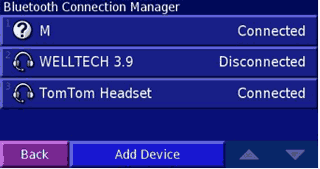 |
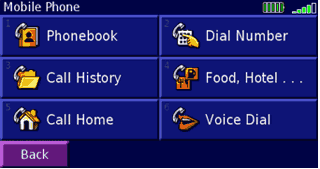
Pairing with any device is very simple. All you need to do is make it discoverable and tell the Garmin to look for it. Pairing my mobile, currently a Nokia 6230i, (?M in the screenshot above) was also just as easy and the Garmin can download its phonebook to make dialling from the touchscreen or remote possible.
Not all mobiles support this feature, though, and I couldn’t find a ‘Compatibility list’ on Garmin’s website. The icons in the top righthand corner show the telephone’s battery and reception status. |
 |
So, armed with my route, I put the 2820 in my wife’s Renault, complete with athermic screen, and headed off to Leicester.
Unlike most of the current flock of in-car devices, the Garmin doesn’t come with a windscreen sucker mount. It has one mount with four mini beanbags built in and another which comprises a sticky patch onto which a permanent mounting bracket can be affixed. Given the current level of Satnav theft, the beanbag solution was more than welcome, as there was no need to remove a windscreen mount or wipe away telltale sucker marks.
The mount works very well and I didn’t suffer from the thing sliding around on the dash at all. Of course, at nearly 1lb in weight, any sucker would have to have sinkplunger-like proportions to cope.
The route that the Garmin chose was identical to the one I normally take when I visit family in Leicester, using the car/motorcycle setting. I was a little disappointed that there aren’t separate settings for cars and motorcycles, though, as there are certain routes that I’d use on my bike that I would never consider in a car.
|
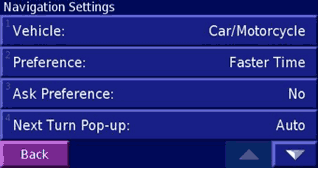 |
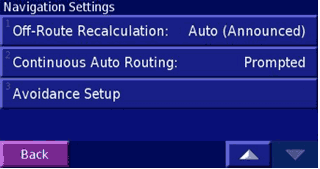
Using the settings to the right, the 2820 tells you if you are off route and also tells you that it’s recalculating to get you back again.
The Avoidance Setup can be used to select both roads and areas, and are stored on the device so aren’t confined to the current route. This is very handy when coming across mapping errors such as cul-de-sacs which were once through routes. |
 |
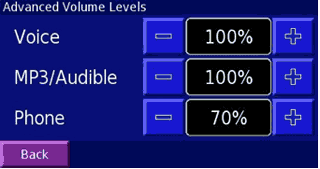
A couple of nice features are that the voice guidance, mp3 playback and telephone all have independent volume settings, and there is also a ‘Speed Adjusted Volume’ control with settings for Off, Low, Medium and High.
This latter feature came in handy when I used the 2820 in my diesel powered Jeep, which my wife says sounds like a Black Cab after being in her (also diesel powered) Grand Scenic. |
 |
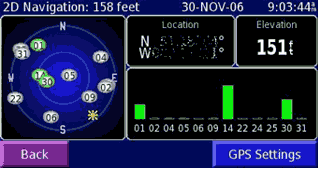
GPS reception was good wherever I tried it, even in my living room I had a good enough fix for 2D positioning, with the 2820 on a coffee table.
The GPS Settings page allows you to use the GPS indoors, which turns the receiver itself off, and to set your position (handy if you’ve just flown from one place to another with the GPS off) and to (de)select WAAS/EGNOS. |
 |
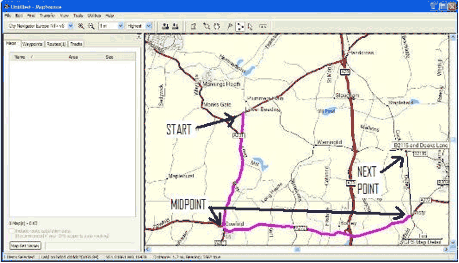 Pre planning of routes is very easy when using the supplied Mapsource software. It really is as simple as ‘point and click’. Pre planning of routes is very easy when using the supplied Mapsource software. It really is as simple as ‘point and click’.
You need to install Mapsource of course, and also the maps which are supplied on DVD. These need to be unlocked before you can see them, even on the PC, but the Unlock code is provided, of course.
An example of one is right, with Lower Beeding as the starting point. I am planning a circular route, so the use of waypoints (called points or midpoints by Garmin) is necessary. |
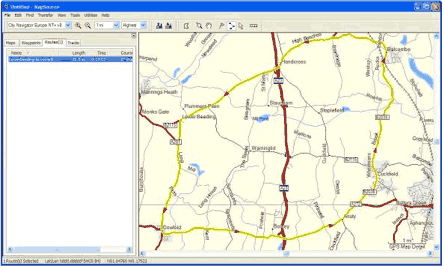
The black line shows where the next point will be but this can be moved around until it is actually clicked, at which point it will be routed to and the line will change colour.
When the route is complete, pressing ‘Esc’ on the PC will finalise it. The red arrows show the direction the route takes. |
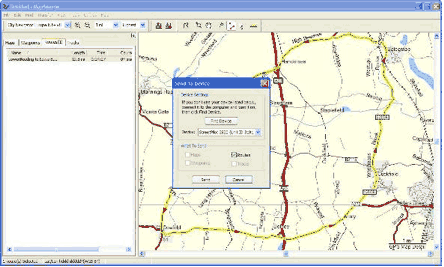 After that, it is simply a matter of transferring the route to the device, which is also done using Mapsource. After that, it is simply a matter of transferring the route to the device, which is also done using Mapsource.
To do this, click on the ‘Send to device’ button on the menu bar. Mapsource will then look for any compatible devices and lets you choose what to send, and where to. |
| When the transfer is complete, you can look at the route on the device. It will be found under ‘My data’. |
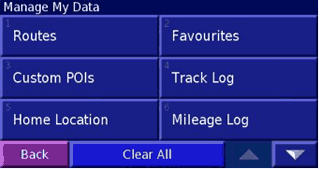 |
As you can see, it shows all the points I used to create it. |
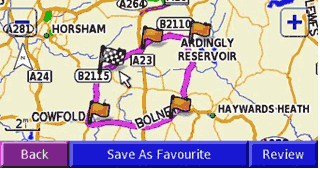 |
You can also enable track-logging on the device so that you can see where you’ve been.
If you transfer this information to Mapsource on a PC then you can analyse individual legs of the track log. |
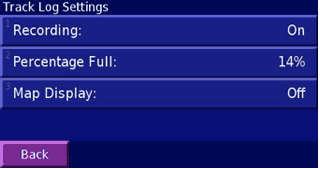 |
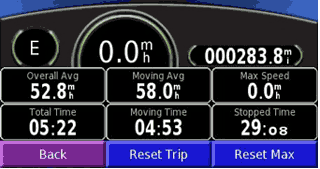
You also get a Trip Computer.
I felt the need to reset the maximum speed on the shot above, to avoid incriminating evidence. This shot shows my return trip to Leicester.
There are also four mileage logs which could come in handy if you need to apportion different parts of a multi-stop trip to different accounts. |
 |
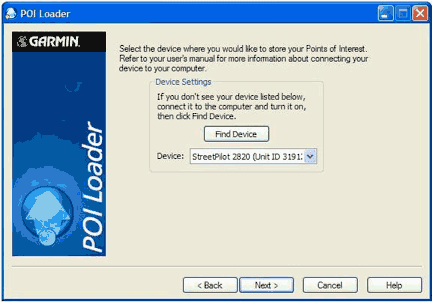 Loading Custom Points of Interest is a doddle thanks to Garmin’s POI Loader. It finds the device for you, assuming it’s switched on and connected to the PC. Loading Custom Points of Interest is a doddle thanks to Garmin’s POI Loader. It finds the device for you, assuming it’s switched on and connected to the PC. |
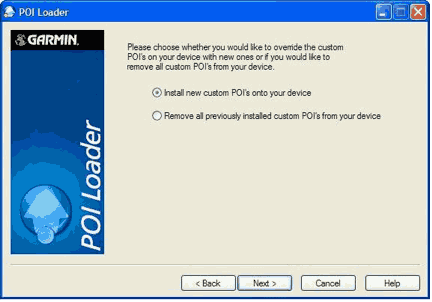 I already had some POIs loaded so had the option to delete them first. I already had some POIs loaded so had the option to delete them first. |
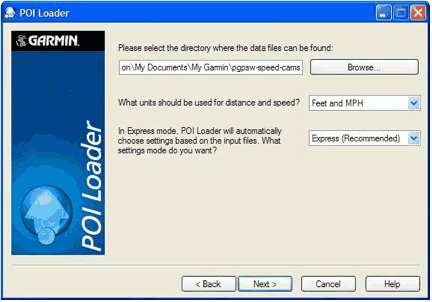 I declined, and just added the new ones. I declined, and just added the new ones.
It’s simply a matter of pointing POI Loader to the correct directory (where you’ve unzipped or copied the data files to), whether you want to use Feet and MPH or Metres and KMH. Being a novice I chose Express. |
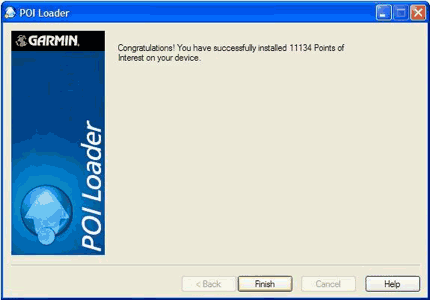 See... Four clicks and here I am, all POI’d up. See... Four clicks and here I am, all POI’d up. |
| This is what they look like on the device. |
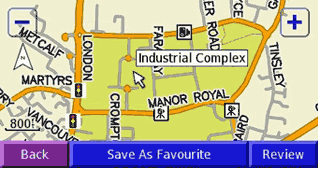 |
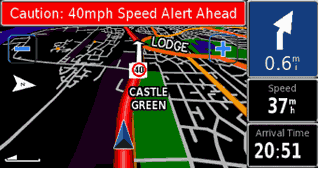
| And on the move. |
 |
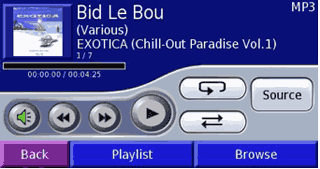
The 2820, as seems to be the way these days, is also capable of playing mp3 files and audio books.
Above is the view of the mp3 player controls, all of which are self explanatory. |
 |
The Garmin takes this another step, with the use of Tour Guides.These are essentially routes coupled with audio soundtracks. I was given one to try by Waygate Audio (http://www.waygate-audio.com/).
The idea is that you can follow a preplanned route, pausing to take time out as required, and listen to an audio commentary about interesting landmarks along the route.
The files are in .gpi format and you copy them to your Garmin\POI directory.
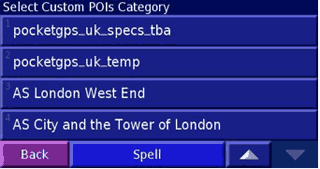
They are then accessed by tapping Where to, then Extras and finally Custom POIs. |
 |
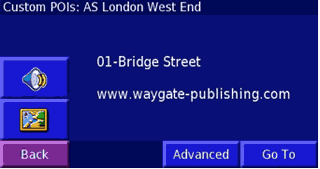
Once you’ve selected the tour you want to go on, you need to find the first point and navigate to it. Luckily, Waygate were nice enough to use numbers, so I looked for the lowest number...
And navigated to it. |
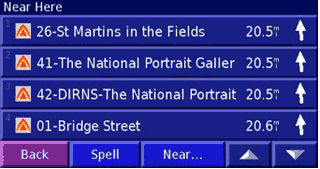 |
On the screen shown right, the speaker button starts or stops the commentary and tapping the map button shows you the location of the selected point.
|
 |
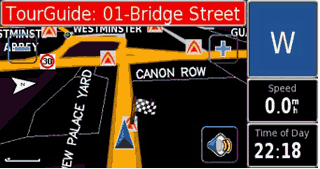
So, having selected and navigated to the first point, you then get the screen shown below. Tapping the speaker button on this screen brings up the list of waypoints, so looking for the one numbered 02 – xxx would be a good idea here.
Unfortunately, although it runs on the 2820, this device isn’t geared for pedestrian use. However, the idea is sound and I’m sure we will see more of these tour guides on the market soon. |
 |
|
| Conclusions
The Garmin StreetPilot 2820 is a very capable unit, with a clear screen and more configurable options than I care to mention. The default routing appears to pick the same routes that I’d choose myself if I didn’t know a particular area. Maps are available for other countries, both from Garmin and Third Party mapmakers.
The one confusing aspect with the remote control is that it has the Zoom In and Zoom Out buttons reversed to what is on the actual unit’s screen. The only negative points I can really think of are the size and weight of the unit, and the lack of internal battery. In my opinion, this last item is a real oversight on Garmin’s part. |
|
|
|
 |
 |
 |
 |
|
|