User Review by Alex Dixon
What's in the box
I received this software as an upgrade for CoPilot Live v5. In the box are 3 CDs, One Setup CD and Two Map CDs.
Installation
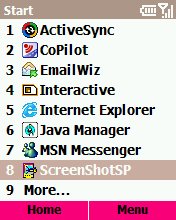
This was very easy. Simply place CD1 in the disk drive of your pc and the installer will launch. Before any software is installed you are given the choice of installing to desktop or smart phone. You are then given the choice of WM2003 or WM2005 so it is important to know which operating system is on your phone. I selected to install to the desktop as it then gave me the choice of which map regions I wished installed to the phone. It's worth saying at this point that the desktop software is virtually identical to the desktop application in CP5 but seems to run much smoother. One install tip is to use an SD Card Reader which is much quicker. Once installed to the phone you will be asked to activate the software. If you have done this on the desktop then it is just a case of inputting the email address you used to activate the desktop application though this will require GPRS connection unless you are connected via active sync.
In use
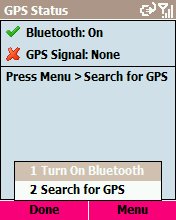
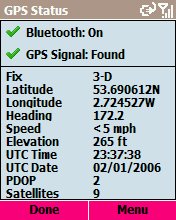
In use CP6 runs well most of the time. I say most of the time because the phone I was running it on reset itself 5 times. Although the resets were not one after the other they happened sporadically each time when planning medium routes of around 200miles. Also I had between 6-7 out of memory messages when Copilot 6 would just exit with a low memory error message although each time I restarted copilot the route was remembered and picked up very quickly.
Routing
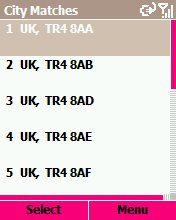
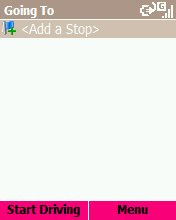
Copilot 6 has an extra option now that allows certain types of road to be preferenced by speed and the following options:
- Strongly favour
- Favour
- Neutral
- Avoid
- Strongly avoid
So how is the routing in the new version? I used it on a business trip to Croydon with a colleague. The easiest route is from Manchester down the M40, M25, M23 and then up the A23. Not using CoPilot! With my colleague driving we tried to avoid the M6 toll. CoPilot tried to send us over the A50 on to the M1 then through central London and then down the A23. So I avoided the A50 and CP6 routed me over to Chesterfield and then down the M1! So I deleted the route and rerouted with a way point on the A23 just after the slip road we wanted. Did it work? In a word No! I was then routed through central London to the way point then turned round and had to drive back up the route to our destination!! I've since rerouted the same journey and each time it still took me through central London with congestion zone set to avoid so as far as I'm concerned the advance routing does not work. The above route was tried in both default and various advanced settings.
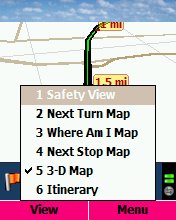  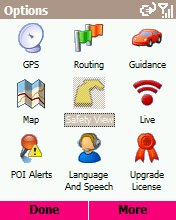
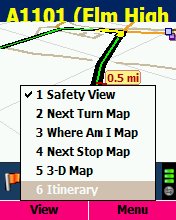
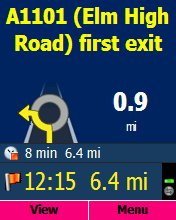
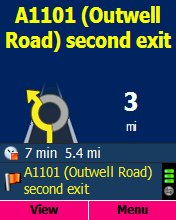
Also for some reason you can only see your speed in safety screen mode whereas in 3d mode you get a double up of the distance to next turn information. This is something that does let CoPilot 6 down.
Traffic
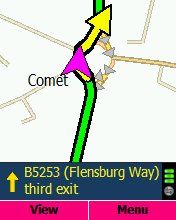
The traffic data is supplied by iTIS who also supply TomTom and OEM satnav system such as VDO's Daytona system. It does work but it doesn’t seem to update on the fly and I only ever seemed to get one warning about a jam and then nothing. The traffic announcement is both audiable and visual and takes over the screen. You can then select to view a map of the delay to give you a better idea of where the delay is though it doesn’t seem to automaticley update. You have to select review traffic to get an update. It is worth mentioning that there is a setting for TMC over radio as well as TMC over gprs.
POI Support
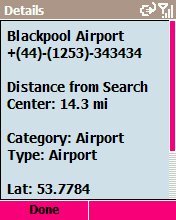
Copilot now accepts .ov2 and bmp files so if you have a friend with a POI file for TomTom then you can easily import it in to CoPilot. Just copy and paste to the save file on your storage card. It seems that you can only configure warnings for one or all of the POI files in the custom section so if you have speed cameras and also want to be warned about petrol stations its either one or the other.
Live
This is what makes CoPilot 6 stand out among the current crop due to the ability to track, message and change the route of the user via a secure website. The user has control of who and when they are tracked and whether to accept a new route.

Data use is very low, around 1mb for 800 miles. All this works very well. Unfortunalty you cannot import an email address to send a tracking link to a person via you contacts list which is something else I would like to see as it can be a real pain typing an email address in on a mobile phone keypad! You can email a tracking link to someone via the live website also.
If you need to resend a tracking link while out then you need to retype in the email address on the phone again, contacts integration would help here but if the person is already on the list then it should just resend to the same email address via the live server.
Conclusion
Alk have done a great job with CoPilot Smartphone 6 but the advanced routing does need some major work compared to the previous version. Yes it is much better but still isn’t as good as it could be.
|