|
Review by Mike Alder and Lutz Bendlin
BRODIT HOLDER FOR HTC P3300 ARTEMIS AND DERIVATIVES
The HTC Artemis is a very popular Pocket PC Phone Edition, thanks to its compact size and good looks. For us obviously the most interesting feature is the integrated GPS receiver which makes the Artemis an optimal companion for in-car and outdoors navigation.
If you plan to use the device in the car the Artemis should better be placed in a holder that is easy to use and at the same time provides for a safe holding experience, so to speak.
Present review will look at the Brodit and ProclipUSA mounts for the HTC P3300 (Artemis 100) and the XDA Orbit (Artemis 200).
HTC P3300 mount
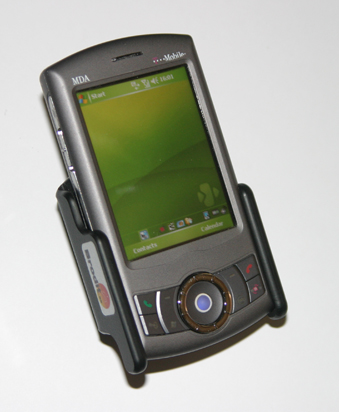 First let's look at the P3300 or, to be more precise, its crippled cousin the MDA Compact III. First let's look at the P3300 or, to be more precise, its crippled cousin the MDA Compact III.
Shown here is a passive holder necessitating use of a separate car charger cable.
This is no problem as the Artemis is supplied with its own cable, owners of the T-Mobile MDA Compact III might need to consider a charger cable though.
(The other Artemis derivative O2's XDA Orbit has considerably more rounded corners, but it should still fit the holder. Well, that was the theory. Read on further below what reality had to say.)
The mount provides a tilt and swivel capability making sure your device is at the optimum angle for viewing.
Fitting the Artemis into the holder is easy, removal is also a breeze when you remember not to grab the top sides of the unit where the hardware buttons for power and voice command are located.
I have forgotten how many times I have had to close voice command down because of this.
With the Artemis in the holder stylus removal is best described as difficult, but is possible. I keep a spare stylus in the car as a result of this.
If you need to soft reset the Artemis in the holder forget it, there is no access to the reset switch hole. You could always try the dremel to drill a hole but getting the location correct would be difficult. Perhaps Brodit can engineer this vital access hole into later production batches (hint hint - see Orbit mount further below).
The holder also obscures the camera hardware button, this is a minor issue though compared to the fact that it also covers the lens rendering camera usage impossible. This issue might affect some users depending upon vehicle and where the holder is fitted. My chosen location makes this problem irrelevant.
As with all Brodit holders you also need a Pro Clip to attach the mount to you vehicle. Brodit supply various Pro Clips to fit practically all cars offering a variety of mounting positions.
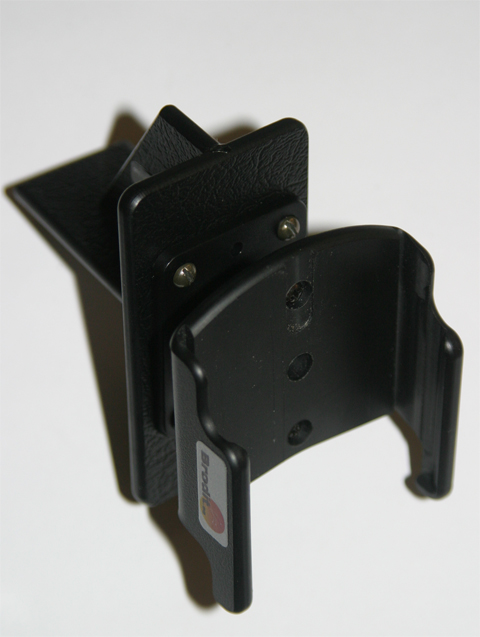
You can attach the holder to the Pro Clip before installation in the vehicle, or after the Pro Clip is in the car, I prefer to do this away from the car, if you slip with the screwdriver in the car you can easily damage trim etc.
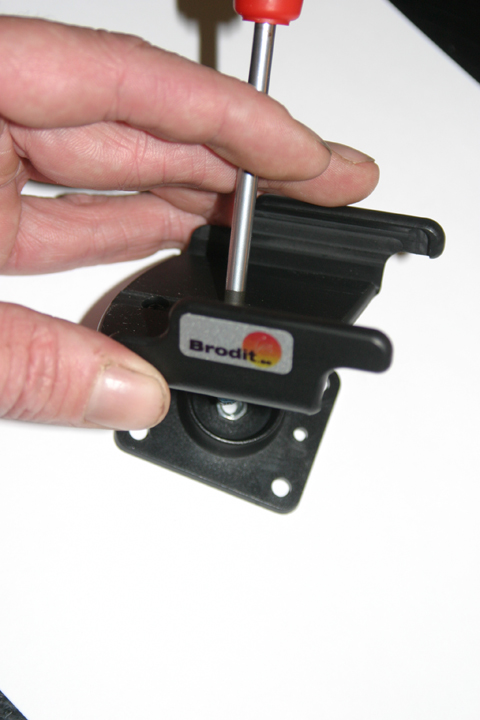
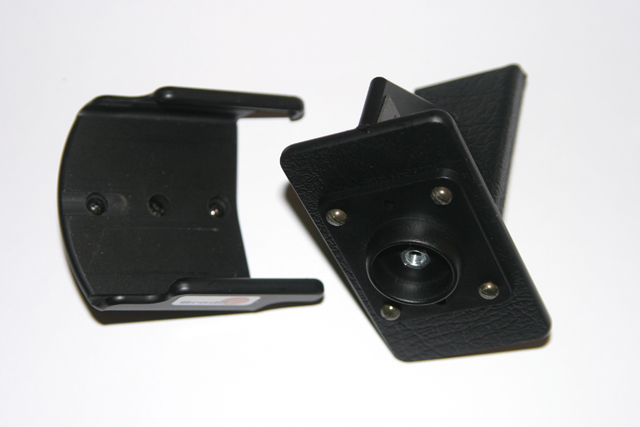
I decided to mount this unit low adjacent to the stereo. The real plus point to the Brodit system is the method of attachment the Pro Clips employ, no holes to drill or screws to mess up the vehicle. The clips usually attach to heater vents, or are secured by friction when inserted between adjacent trim panels. A small double sided adhesive patch secures the clip in place. Brodit also supply a small tissue wipe impregnated with a solvent to clean off any silicon cleaning agent (it’s also good at removing any grime).
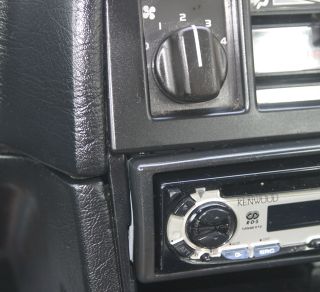
First I needed to identify the area where the mount would go. This is different on each car. On my Volvo the mount goes into an existing gap in the trim.
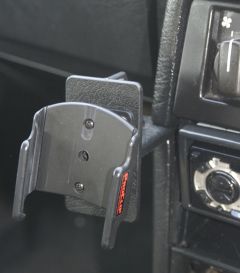 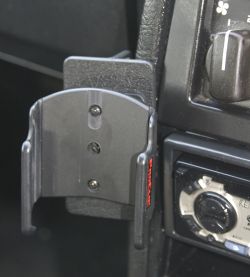
After cleaning the area off with the provided wipe I carefully pushed the mount in. The trim will hold the mount firmly in place, the sticky tape is just an additional level of security.
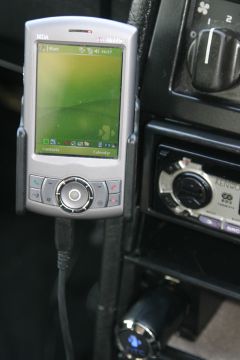
You may not make out the Franson GPSgate icon on the bottom very clearly but even in that low position the GPS receiver on the Artemis has no problems to acquire a fix and hold on to it.
�One other option with the Brodit mount system is the "move it" clip. This provides a number of benefits; firstly if you have two cars it makes transferral of the holder between vehicles easy and is more cost effective than two complete mounting systems.
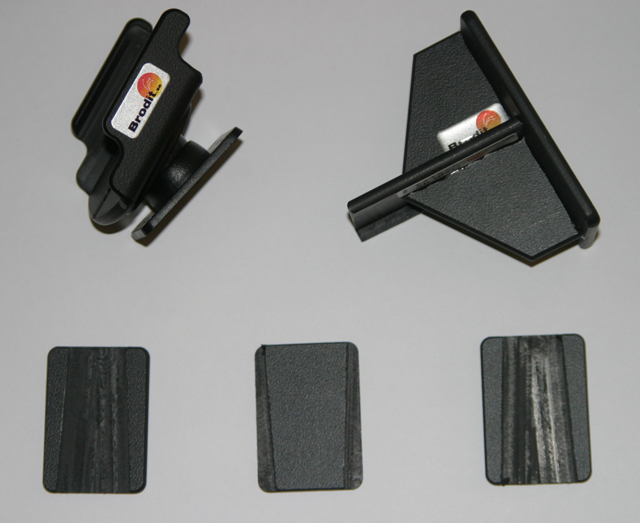
Secondly it provides a very good theft deterrent. Once removed from the quick release slider the mount can be removed from the car or hidden from sight. The remaining visible portion is very small as such this should not attract too much attention from the low lifes that break into vehicles when they spot a PDA holder in a car.
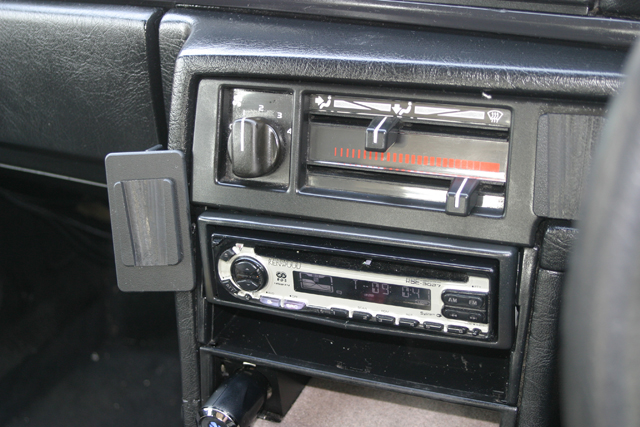
Another benefit is the ability to mount multiple Brodit holders in different positions, I often swap the units out of the Volvo and place them in the wife’s Astra, the "move it" clip does offer the flexibility of where things go in the vehicle.
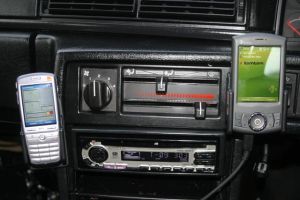 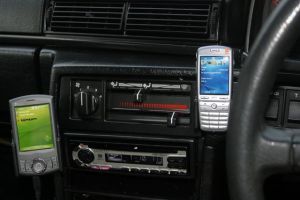
�Another option to use the Brodit Pro Clip is the converter enabling use with a Herbert Richter holder. This opens up a number of possibilities for those who already have HR holder as supplied with the HTC Artemis.
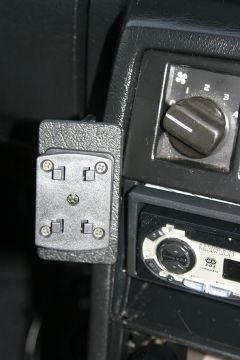 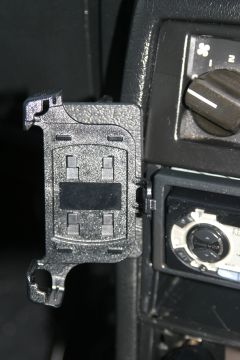
The HR mount is supplied with a flexible arm and windscreen suction cup, I much prefer the Brodit Pro clip as it provides a more stable mounting solution that is vibration free.
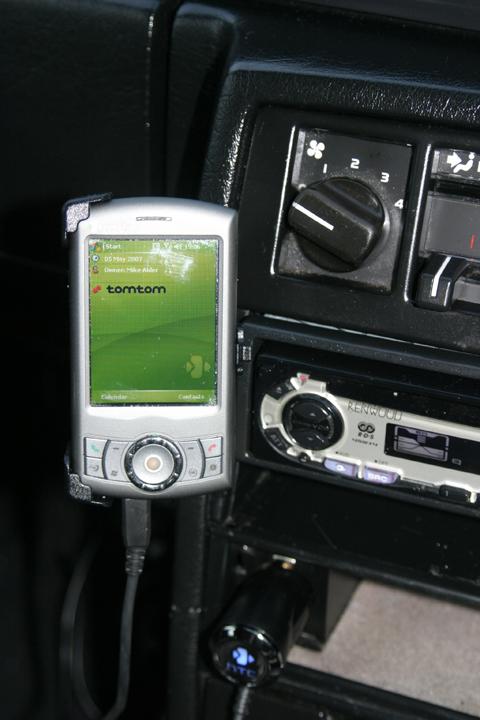
The Brodit mount is a secure holder, your expensive PDA phone won't go flying across the car or fall out. It is more costly than the rubbish generic holders they sell in mobile phone shops, why entrust a £15 holder to secure a £500 device?
The Brodit holder also looks and feels considerably better leading to a neat vibration free mount - well worth the outlay.
The Pro Clip for the Volvo cost £14.
The Pro Clip for the Astra cost £14.
The Move It clip cost £9.50 and covers both vehicles.
The passive Artemis holder cost £19.
The HR adaptor cost £20, this is not required unless you want to couple a HR holder to existing Brodit ProClip mounts.
Single car installation £33
Twin car installation (using Move it) £56.50
XDA Orbit Mount
Brodit intitally were providing us a Artemis mount for the XDA Orbit, assuming the device would fit in nicely into that holder. Nothing could be further from the truth.

The camera button on the Orbit is protruding on the side, and will prevent the Orbit from sliding in properly.
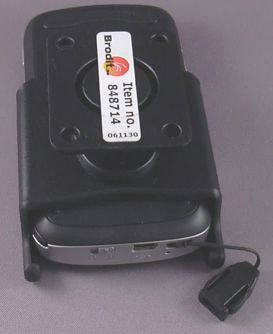 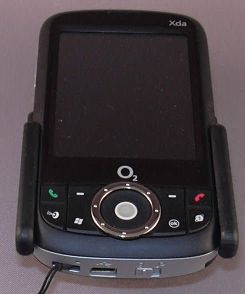
The little feet on the battery cover would then prevent the Orbit from sliding out of the mount again properly. And overall, the Orbit is a tad wider than the Artemis, and will spread the holder out when forced all the way down.
After a brief exchange of emails with ProclipUSA and some thinking on Brodits side we then received a holder that was specifically made for the XDA Orbit (Artemis 200). And sure enough, all of the issues mentioned above were fixed, both for the active holder (shown here) and for the passive version.
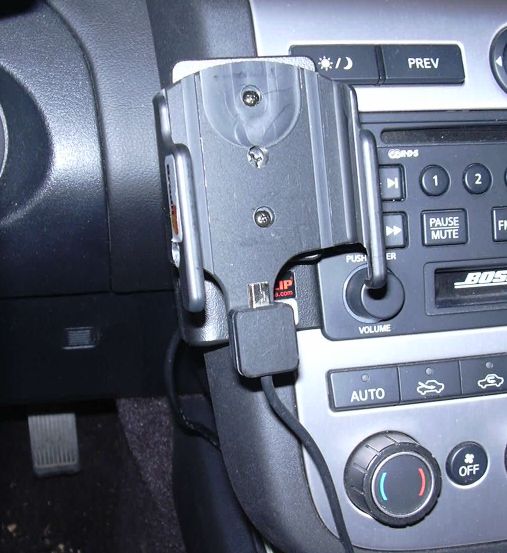
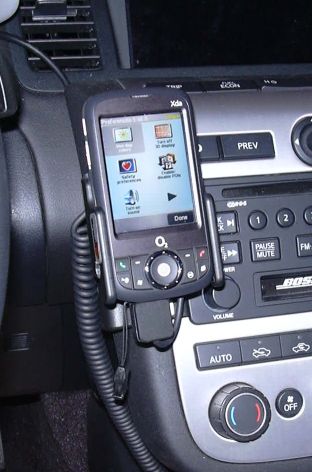
As with the Artemis holder, the holder for the Orbit obstructs both the camera button and the camera lens. This is only an issue when you use a windscreen mount. In my car I have a dashboard mount, and I do not need to take any more photos of my dashboard, thank you.
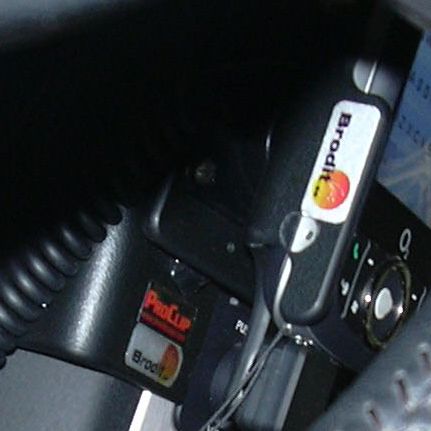
The one change that HAD to be done was to regain access to the reset hole. For the people amongst us who are measurement challenged (unfortunately that includes myself) - use a larger drill ...
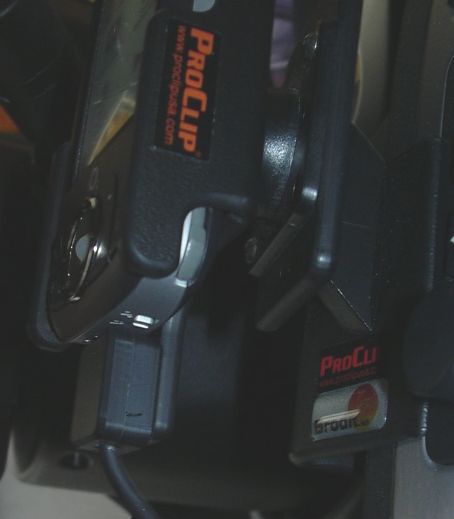
Mike mentioned that he had problems retrieving the stylus - I was able to access the stylus nicely on the Orbit mount (I am using a modified Artemis100 3-in-1 stylus in the Orbit, hence the grey color).
Conclusion
All presented holder options are fit for purpose. Some of them can be tweaked if desired (like adding the hole for the reset button) but mostly the holders can be used as is.
The holders can be mounted onto the dashboard of your car (with the appropriate ProClip car adapter) or - as shown - can be connected to a HR standard windscreen suction cup mount.
Active holders are definitely preferred, because the are the most trouble free setup you can get for your in car installation. Once you have one installed you will start wondering what took you so long to get one.
The holders can be purchased through the sites listed below. Make sure you get the right item number for your device.
Artemis 100: 848714 (passive) 968714 (active)
Artemis 200: 848731 (passive) 968731 (active)
|