 Review by Jean-Paul de Jong Review by Jean-Paul de Jong
Introduction
As long as I have been interested in getting a satellite navigation system, there has been a single justification for me; dynamic re-routing based on the current traffic situation. Secondly it had to be a PDA based system as I change my car regularly. And thirdly I did not want to tie up my phone and a subscription-based service using GPRS. Anyway in short I wanted a PDA based satellite navigation system with RDS-TMC support. The only software that I knew of at the time was Alturion but according to their support department they do not support TMC with UK maps.
Last November my attention was drawn to the special ALDI PDA/SatNav bundle. Even though it did not support TMC, the deal was too good so I bought it. This package introduced me to a special version of the Navigon satellite navigation software that was specifically released for the Medion Pocket PC. I really grew to like the Navigon software, appreciated its speed and the accuracy of the maps supplied by Navteq.
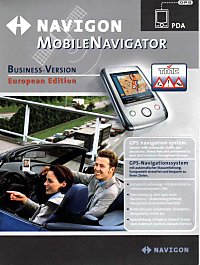
Then last January one of the Pocket GPS forum members [swing] drew my attention to a special version of the Navigon software called Mobile Navigator Business European Edition (MNBEE). Wow, that is some title. What the Navigon website stated was really exciting, their demo even showed UK map data with live RDS-TMC traffic data. I though I got to have it. Their support team however was not too certain as to whether RDS-TMC is supported with UK map data even though the demo was showing on their website. Then I discovered that Navigon is doing a cross-upgrade including hardware for only €299 (£206.33). For that kind of money I had to try as if it didn't work I would still have get the full set of Western Europe street maps that individually sell for £67 pounds. So whether RDS-TMC works or not it would still be a good deal. Whilst I was waiting I discovered that RDS-TMC in the UK is a commercial service only and heard more rumours that it won't work in the UK, which is why other manufacturers are going down the GPRS route. I was getting really anxious to find out the truth.
Anyway I finally got my package delivered so lets get on with the review.
Package
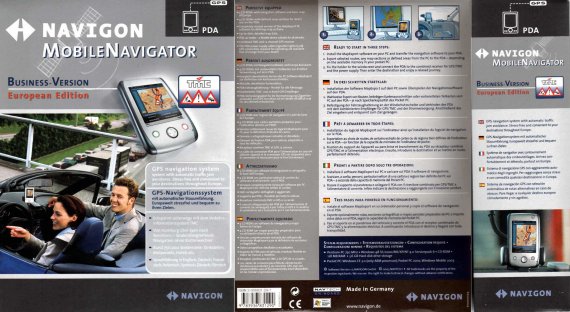
The package arrived well wrapped and protected via UPS direct from Navigon in Germany. When opened there were two items.
1. Navigon Mobile Navigator Business version - European Edition box.
2. Mobile Navigator cable set for the Yakumo Alpha and Delta PDA's.
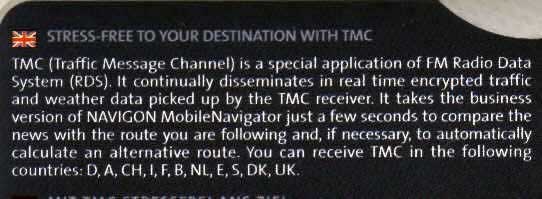
TMC support is printed all over the packaging and on the inside it did very clear state UK support.
By this time I was getting really excited, couldn't wait to open it and try it. But I had to restrain myself and write this review first.
Contents
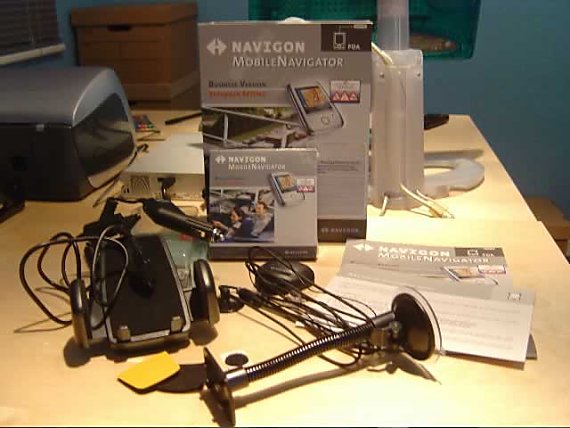
When opening the package I found the following items.
1. Instruction manual - This is in the shape of a multi-lingual poster.
2. Special notice - A special notice stating the content of the box and important information before using the equipment. This is in German only, which is generally not helpful, but luckily I can read it.
3. CD BOX - This contains 7 CD-ROMS.
4. GPS/TMC Receiver - The combined GPS/TMC receiver.
5. Rubber feet - Self-adhesive rubber anti-slip feet for the GPS receiver.
6. Rubber protector - Self-adhesive rubber protector for the PDA.
7. Universal PDA Mount - Universal mount for a PDA.
8. Gooseneck holder - Flexible with suction cup.
Software installation
Software installation is relative straight forward. The supplied version is 1.5 and comes on seven cd-rom's.
CD |
Description |
1 |
Navigation software for Pocket PC. MapExport software for defining map sections on a PC |
2 |
Map data |
3 |
Map data |
4 |
Exported map data for: Austria, Switzerland and Italy with the bordering Alpine territories of France and Germany.
Exported map data for: Spain and Portugal |
5 |
Exported map data for: Scandinavia
Exported map data for: France |
6 |
Exported map data for: Great Britain and Ireland
Exported map data for: Germany |
7 |
Exported map data for: Benelux, Switzerland and Austria |
The pc based software supports: Microsoft®, Windows® 98/2000/ME/XP and Windows® NT on a Pentium based pc.
After insert of CD1 the setup program starts automatically if you allow autorun on a CD, otherwise it is just a case of running setup. The installer software first allows you to set your preferred language for the installation.
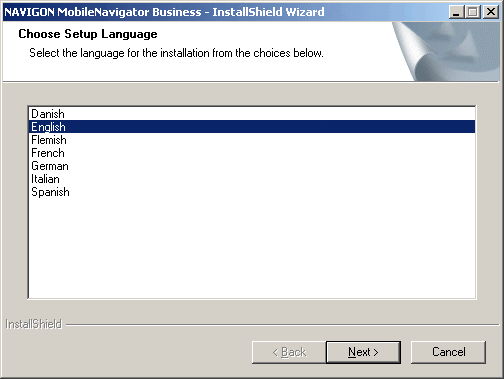
Although Dutch (Flemish) is my native language I choose English as I prefer that for my software.
After the language choice you are given the choice of standard installation or user-defined installation. A habit of mine is to always take the custom setup route so why change that now.
The user-defined installation lets you choose which components to install. I have selected all of them for installation.
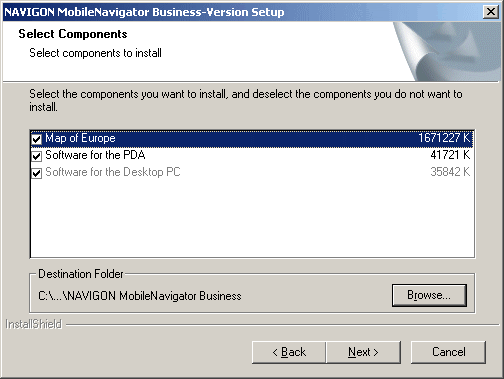
Following the component selection you have the usual Windows® installer question of which start-menu folder to user and where to install the software. I just kept the default values and started the installation.
It has to be noted that the installation of all the components can take a while. I am using an older Sony Vaio Z600RE laptop running Windows 2000 Advanced Server as this is my tiny laptop that I always tend to take with me on my travels and thus is handy to create a new map when required. The total software installation (file copying) took 35 minutes. Then the PDA installation part began.
Please note that the installation time should be drastically reduced when you don't install all the map data locally. There are map sections provided on the other CD's.
For the PDA installation I used the default file locations.
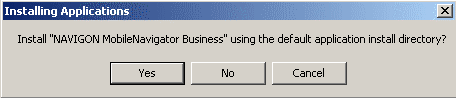
The software setup is then completed. It is that simple! Total software install on the PDA is 12.4Mb and on my laptop a whopping 1.64Gb, but that does include all Western Europe maps. Right, time for some map creation.
Map export
The Map Export seems exactly the same as in the Medion bundle as sold by Aldi. The only difference being that I now have access to street level data of the whole of Western Europe and not just of the United Kingdom and Ireland. With this tool you can do the following:
- Transfer pre-made map sections to your PDA.
- Create a new map for transfer to your PDA based upon a rectangle on the map.
- Create a new map for transfer to your PDA based upon a corridor based on a route.
A map based upon a rectangle region can easily be created. The tool will automatically calculate the size of the map so you can quickly establish whether you have enough storage on your PDA. As you can see, the map I have selected is larger in size than the 256Mb memory cards I have got. So I know I should make it smaller.
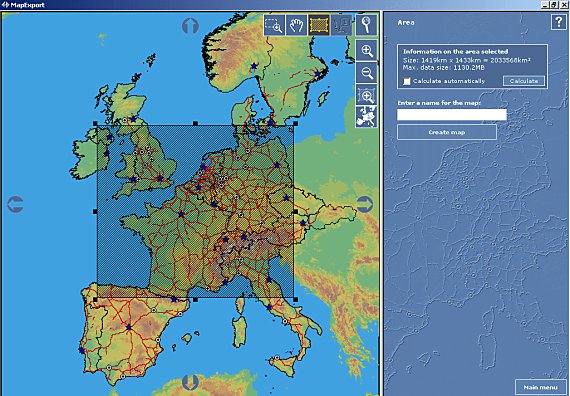
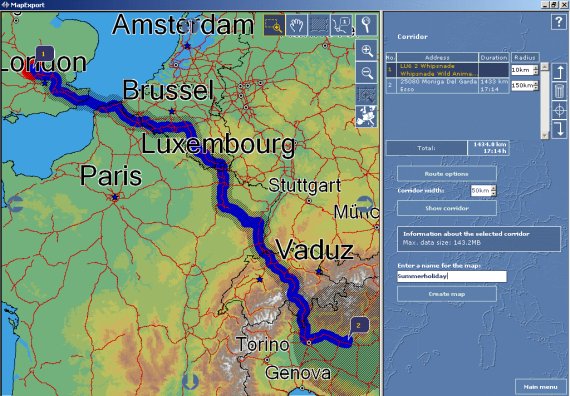
A map based upon a corridor is also easily made. As I will be going shortly to Italy by car, I made a map based upon a corridor between my house in England and the Eurocamp site at lake Garda. Great features are that for each of your route-points (destinations) you can set a radius separate to the corridor width for your journey. In my example I don't need much data in the UK, I want 50km away from my route and 150km radius at my destination. Absolutely brilliant!
But for every day use I find it easiest to use the pre-made map for the whole of the British Isles. Very simple to export to the PDA. As stated earlier, there are a variety of pre-made maps available.
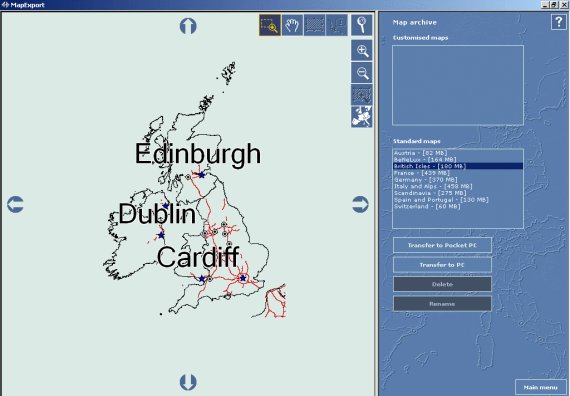
The UK map unfortunately still has not got the M6 toll-road on it.
The Map Export tool is great in my honest opinion. The actual copying of a map is very slow, however this is partly due too the way the PDA is connected and the memory card being used. My advice would be, make large maps and use a variety of memory cards as copying 180Mb to a memory card is not a quick process.
PDA Software
Now a map is available, it is time to have start up the PDA software.
Upon the first start I was introduced to the product activation screen. In order to use the product you will have to contact Navigon either by phone or via the web. As it is Good Friday today I used the web option, which was straight forward to use.
 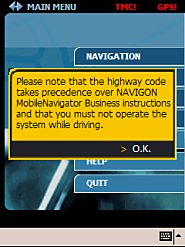 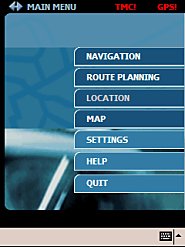
Following the activation you get the usual Navigon safety message. Slightly annoying, but understandable from a legal perspective.
The user interface is very easy to understand and no different than the Medion package. Obviously it has some extra features to support the TMC based routing and the journey log. Although the user interface is clear and easy to use, I find it quite difficult to use when on the move. My fingers are not large but I find it near impossible to use without the stylus.
GPS/TMC Receiver
The combined GPS/TMC receiver is very small and discreet compared to the one I had with my Medion based ALDI package. It looks like an OEM product as the Navigon logo is nothing more that a sticker on the device.
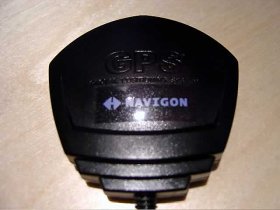 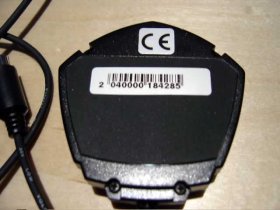
The back of the device has got a magnetic base which is useful in my car, but alternatively the supplied rubber anti-slip pads can be used.
There is only one clue that this receiver is special, i.e. for TMC use, which is that there are two wires coming out of it. There is one wire for connection to the combined power and PDA cable. And there is one wire, which is the FM radio antenna. Both wires have suction cups attached is handy for secure fixing, especially for the FM antenna.
The time to first ever fix was quite quick. Within 38 seconds I had a fix of 3 satellites, then it steadily climbed towards 7 satellites within a minute. This was whilst I was sitting in the car on our driveway.
Overall performance on the GPS side is a lot weaker than the supplied receiver I had from the Medion package. With the Medion package I had a constant reception of about 8 satellites on my journey to Liverpool. With this receiver it frequently dropped down as low as 3, which I never experienced before.
TMC reception is straightforward; the receiver automatically scans the FM band and 'locks' onto any TMC broadcasts that might happen. This is very useful especially on a long journey where the frequency can change. There are no options to fix on a specific frequency.
It has to be noted that I have got a double-glazed and heated windscreen in my car, so one might expect better reception in other cars.
Navigating
You can navigate to your destination in two ways. If you have a single destination just use the Navigation menu and if you have multiple destinations you can use the Route planning menu.
Destinations can be found initially via a selection of country, town or postcode; or any combination of the above. Following that selection you can enter a street or limit the results to a point of interest. Entering the house number then chooses the final destination.
Alternatively you can pick from either recent destinations, personal (favourite) destinations or your contacts from the Pocket PC. It has too be noted that navigating to a destination from your contacts list can be hit and miss as the Navigon software is following the 'correct' postcode list and not necessarily the one that people generally use. I say correct as the software identified correctly that I live in a certain village associated with that postcode, yet everyone in the village is using the name of the larger village down the road (and the post arrives…).
Once a destination has been selected, a choice needs to be made between a dynamic route, short route or quick route. When choosing a dynamic route TMC will automatically reroute pending the traffic situation whilst using the other options it gives you the choice to use the new route. In addition you can toggle the choice for avoiding motorways, ferries and toll-roads.
Once it is all entered the route gets calculated if you have a GPS signal (simulation can only be done via the route planning menu). So all you have to do is enjoy the ride.
TMC Dynamic routing
Now the main reason I was interested in the product was the dynamic routing capability based upon the current traffic situation using a free-to-air service. Does it deliver…Oh yes. The TMC system works flawlessly. TMC messages are being received, updated and deleted when the situation is cleared. It is quite interesting to see the counter of the messages being received going up and down, something I wasn't used too from built-in TMC systems.
For the purpose of this review I have made the following animation based upon a route I took from my home near Whipsnade Zoo to Liverpool on Tuesday 13th April 2004 (For those who want to check the traffic information…).
Finishing the route I was in two minds as I was not able to take any screen shots of a build-up traffic area with the overlay icons. This is purely due to the fact that the system worked very well and directed me out of the way of trouble, fully automatic. When I was on the M1 near J16 the system informed me it has made an adjustment to my route due to traffic. Shortly afterwards the information boards on the M1 showed that the M6 J6-J7 was closed. The radio had not mentioned anything by then, nor had my traffic master, as by that stage I was nowhere near the area involved. The TMC system informed me first, very impressive.
I was getting worried at one stage as it directed me towards the Intercroft exchange on the M6/M62 across the viaduct roadwork's and didn't show any traffic. But too my pleasant surprise it was correct, traffic was flowing freely which is unique for anyone knowing the area.
 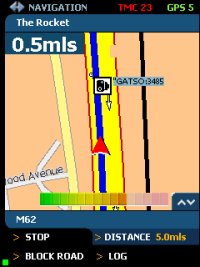
So it this perfect…No not quite, soon afterwards on the M62 entering Liverpool I came to a complete standstill. The TMC system had no information regarding this, but neither had my traffic master nor any radio announcements. It shows that it is not completely real-time and you can still get caught out. Route log
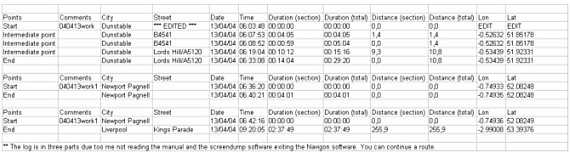
Another feature that the Business edition provides, is the ability to create a log of the routes you drive. I find this particularly handy as most of my mileage is reclaimable from Inland Revenue. So when you enable this feature it give you a precise overview of the route you have taken, dates, time and mileage.
The sample below has been edited to take out the coordinates and street and street of my home address.
Car holder
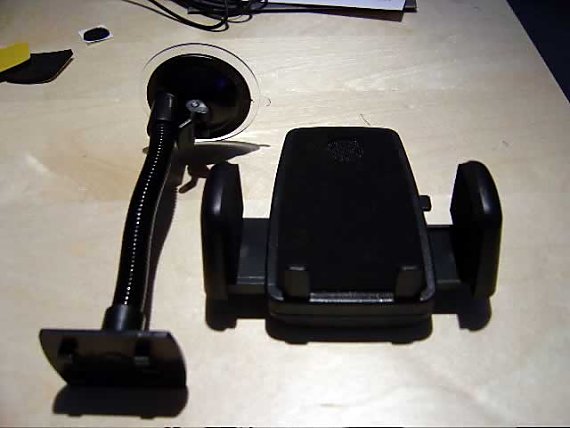
The supplied car holder is a simple yet effective universal model. The flexible arm attached to the suction mount it too short for my BMW but fits perfectly in my Nissan Patrol. The mount fits snug around my Medion Pocket PC. Due to the limited length of the suction mount, it might be wise to invest in another mount. In my BMW I use a Brodit mount together with an angled SmartClip which provides a perfect position.
Conclusion
This product gets a big thumb up from me. It fulfils all of my requirements in a handy affordable and transferable package.
Pros
- TMC Dynamic routing works well
- Route calculations are fast
- Maps are accurate and recent
- Easy to use
- True pan-European navigation on a single map
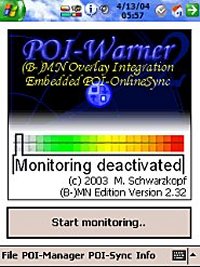
- Integrates with POI-Warner
Cons
- User interface can be improved for non-stylus use
- Warning screen should be a one-off
- M6 Toll Road is still not there
I can definitely recommend this street-level navigation software to anyone in the market for buying this kind of software. The issue of the M6 Toll Road is one for the map-supplier but I think it is the manufacturer of this software that should apply the pressure to get it included. The other cons are easily resolved with some modification but for obvious reasons are not supported by Navigon.
|