| Review by Antti Saarisalo
Foreword
Antti has been following PocketGPSWorld.com for some time and has purchased a number of different setups with help from us and decided he would like to give something back to the PocketGPSWorld.com community and has given us permission to re-print his full review of Navicore for the Nokia 9300. The finnish version can be found here.
Introduction
I've been using TomTom Navigator for Palm for a good half a year. It has been working very nicely at least in Europe where I was traveling last summer, but here in Finland there have been problems with coverage where areas of the maps are missing which has been annoying and reduce the usability a lot. There have also been some problems with bluetooth resulting in having to restart my Tungsten after every time I have used it. But mostly this two-device system where I have been carrying smartphone for calls and calendar and Palm for navigating have got me thinking about replacing these with something new.
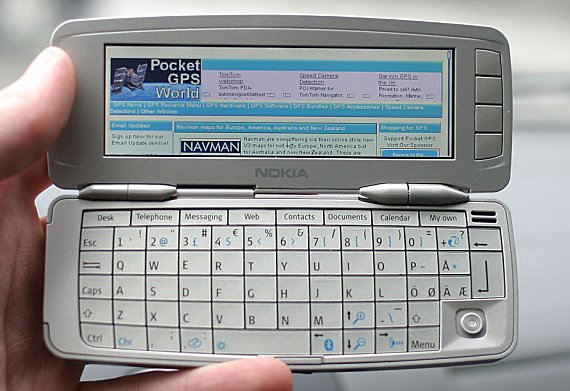
 As Navicore has proven itself in S60 phones for a few months, it looked quite a promising system. But somehow I thought I would lose a lot of usability with such a small screen and small number of key, but then Navicore introduced a communicator version and Nokia brought out its smallest communicator: 9300 (it really is pocketable!) and I was totally sold! So I went and bought the communicator and Navicore Personal Skandinavia 1GB GPS Kit. As Navicore has proven itself in S60 phones for a few months, it looked quite a promising system. But somehow I thought I would lose a lot of usability with such a small screen and small number of key, but then Navicore introduced a communicator version and Nokia brought out its smallest communicator: 9300 (it really is pocketable!) and I was totally sold! So I went and bought the communicator and Navicore Personal Skandinavia 1GB GPS Kit.
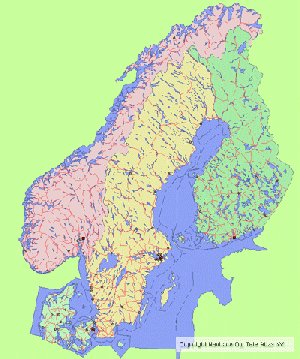
Navicore is a Finnish company offering "field force management solutions for enterprises". But now they have software for consumers too. There are two versions available, one for S60 smartphone's (including Siemens, Sendo, Panasonic etc) and one for the new S80 v2.0 communicators (Nokia 9300 and 9500). Both of these have two map bundles, Finland or Skandinavia. Skandinavia coverage is shown on picture (right). Navicore has said they will include Western Europe this year, hopefully before summer. Maps are from TeleAtlas and while these are the newest at the moment there are some mistakes as usual with TeleAtlas...
Navicore Skandinavia map coverage including Denmark, Norway, Sweden and Finland. The other map bundle includes only Finland.
You can find more info about license and technical info in Navicore FAQ
[top]
Hardware and software installing
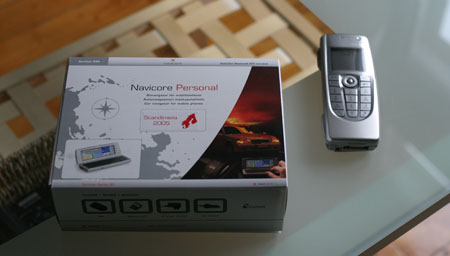
Here is the box and my 9300 side by side.
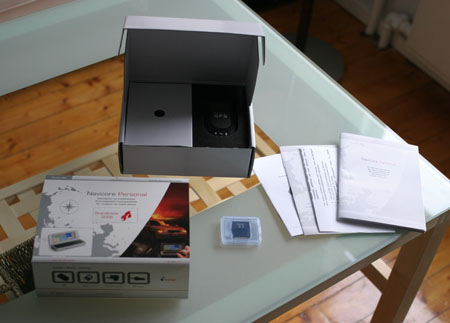
Opening the box you will find the software on an MMC card (mine is 1GB MMC but there is also versions with RS-MMC) and User Guide books. All the hardware is protected deeper inside the box.
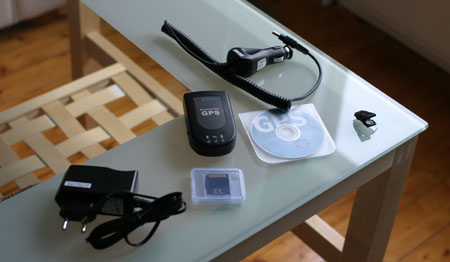
With the GPS receiver you will see an in-car charger cable and a mains/wall charger as well as Windows software and some kind of wire holder. There is different bundles available with Navicore where you can choose which GPS you would like to use, but the shop I bought this didn't have any other boxes left so I purchased the one with a slightly older receiver, GlobalSat BT308. (It is good but not necessarily the best available, reviewed here)
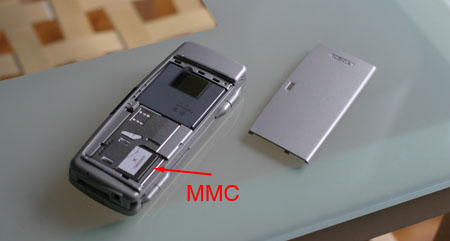
Red arrow in the above photo shows where the MMC card is. Installing the software is as easy as ever if you only get the back cover open on the Nokia. Simply draw the old one out and put the new back and fix the back cover to its place. Before you do this I recommend you to back up the contents of the MMC to your computer and while you do that you can also copy your older cards content to the new one.
[top]
Starting Navicore
Communicators have a user configrable button which can be assigned to any application and I have set Navicore to it so that I have a fast way to start navigating. And luckily the software itself is also pretty fast to start as it takes about 10 secs.
Starting up Navicore brings you this nice screen.
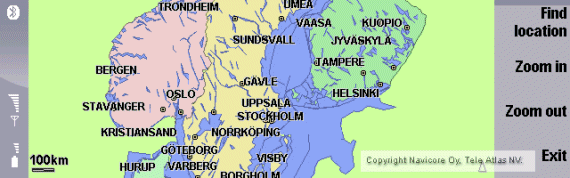
First screen you get is normal map view. Here you can move the map with joystick or arrows, zoom in or out with command keys (or buttons 1&2 or communicator zoom keys), and start finding a location with a command key. If you have GPS connected the top command key changes to Find route so that navigation can be started as soon as possible.
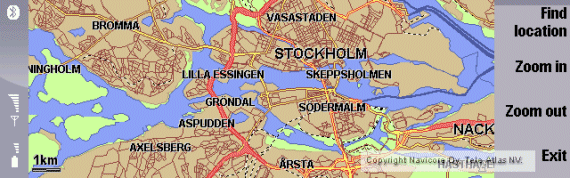
While zooming the map gets more and more detailed and reference line in bottom left corner tells the current scale. On the bottom right corner is arrowhead telling where north is and as you are not in a route the map stays north up all the time.
If you prefer the starting point to be your house for example you can move the map to that point and save that as a default view through Menu -> View -> Set as default view.
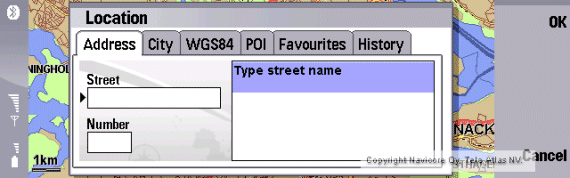
Pressing Find location brings this kind of search box which I'll tell more next.
[top]
Finding locations
Navicore has pretty good system for finding routes to different kind of places. Route can pass across borders within available maps so it isn't a problem to make a route from Helsinki, Finland to Oslo, Norway through Sweden!
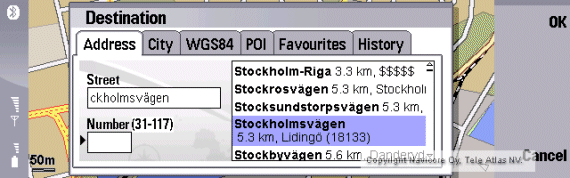
Probably the most used way to find a route is to give the direct address to destination and this is the first and default choice. You can write only first letters, wait a second and then list of streets starting with the letters you wrote appears on the right side. (I wrote stock and there is pretty long list as you can see from the screenshot) If GPS is activated the list appears the nearest places first, otherwise they are in alphabetical order.
With up and down arrows (or joystick) you can select the right street. Below the street name you can see distance and the city the street belongs to, but also the zip-code, which is very useful at least here in Finland.
When correct street is selected you can write the wanted number (as you can see the black arrow is now beside the Number-field). Available numbers are shown in parenthesis.
Sadly there isn't any integration with communicators contact list. Hopefully this is doable and we will see Contacts between Address and City in the next revision.
In settings you can select what map is included in search. If you travel only in Finland you can select it and so the list is usually shorter. Good thing is that the search speed isn't affected even if you have all the countries selected. Although things can change when Western Europe is included!
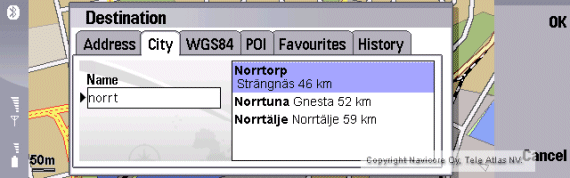
Navigating to any city without better address is done with City. Same as before you can write a little bit and Navicore finds matching cities. Also here you can find villages and even districts.
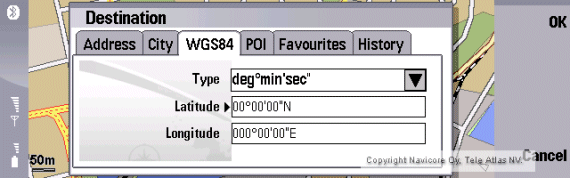
You can put your destination with coordinates also. These must be in WGS84 format.
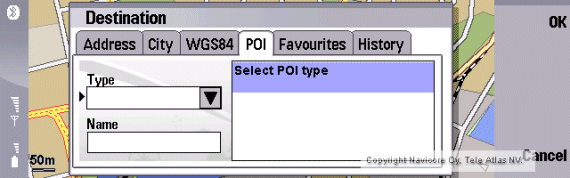
POI searching is also here and in fact it is pretty easy to use. First you must press joystick to get a list of POI types.
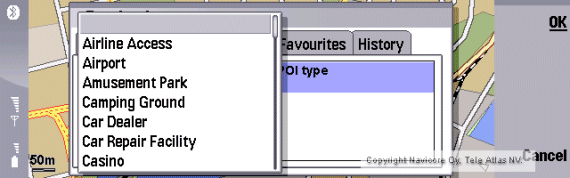
From here you can select the wanted POI type.
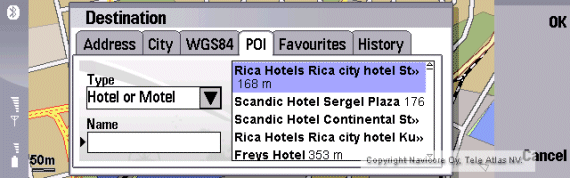
Then you get list of POI's, and also in here you can write some letters to focus your search better.
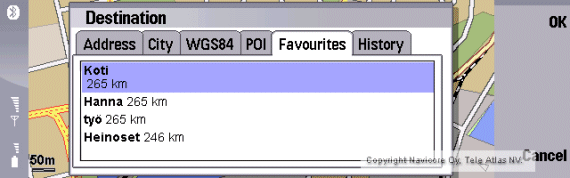
If you have added any favourites you can get it here but faster way is to assign a shortcut (button 3-9) to any desired favourite.
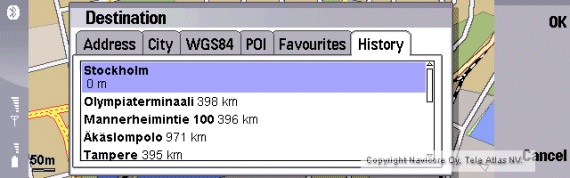
List of 10 previously used locations is kept in History and can be used as locations in new search.
[top]
Routing directions
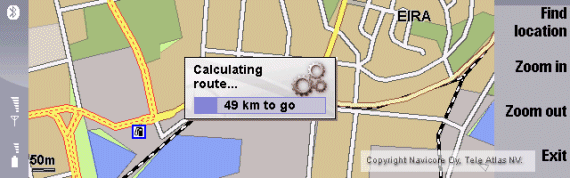
After destination is set the Navicore calculates the route in a few seconds.
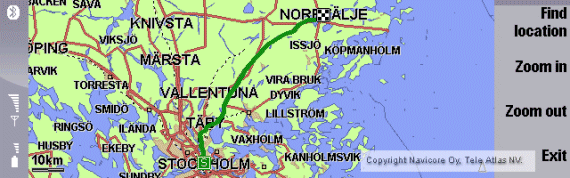
The route is shown on the screen shortly. After that Navicore goes to default navigation screen shown below.
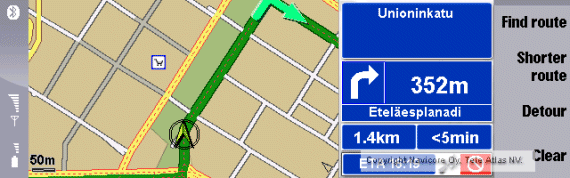
This is the default screen. 2D map is shown on the left side, scale is shown bottom left corner and north arrow is on the bottom right corner. Screen refresh ratio is very good, at least 5 fps and map also rotates nicely.
On the right side is information panel showing next road on top, below that is direction arrow and distance to next turn with current road below. On the bottom is total remaining travel and time also with ETA below them. Also GPS status is shown here with signal bars, red color means no GPS connected, yellow GPS connected but no good signal and green means signal is good for positioning.
There are four command buttons while navigating.
- Find route - you don't have to clear route before you can create a new one
- Shorter route - Navicore tries to find fastest route but you can also change it to find shortest route with this button
- Detour - tries to avoid the current road and find a new route, there isn't any fine tuning with detour so this is somehow useless now
- Clear - clears the current route with confirmation
Map is scaled according to the speed (scale line differs from 20m to 100m). And with the smallest scale you can see all the street names.
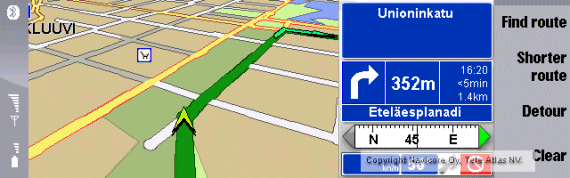
As so many people demand 3D view in todays applications, Navicore has implemented 3D screen. You can get it from Menu -> View -> 3D or pressing spacebar. 3D is somehow too much for the processor in 9300 and so the refresh rate is about 2 fps. And when you make a right angle turn it takes 2-3 seconds to put the screen in to right orientation. But still better than Wayfinder ever! 3D screen doesn't have any scaleability but the default scale seems to give just right amount of information.
Also two information panels are available, one with compass view and one without. This is can be chosen from Menu -> View -> Compass and can be selected with both 2D or 3D view. Here is shown all the former information with total travel, time and ETA getting smaller font. Bottom part has got compass scale, degree and speed information (km/h only). Unfortunately the speed information is also pretty small font so it is difficult to read whilst driving.
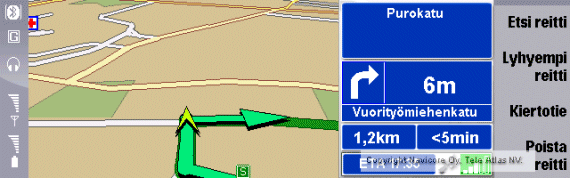
Navicore has three color schemes, Normal, Night and High contrast. You can see the differences moving your mouse on the screenshot above. These can be changed pressing Esc button or through Settings.
The GPS signal bars on the bottom right corner of information panel are also shown in the above screenshot.
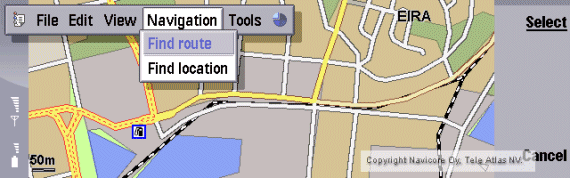
A route can be planned without GPS through Menu -> Navigation -> Find route. Here you must give both origin and destination but after origin you get the destination list appear showing nearest places first.
Voice directions
Car navigation isn't a real navigation without voice directions. And so Navicore also has pretty good voice directions. Voice is loud enough and even through 9300's speaker these can be heard easily with my Ford Fusion in 100 km/h speed. There is three voice levels and when not connected to my car kit I've kept it in its loudest settings, and while connected I select normal to keep it in line with call sounds. But to change volume you must go to settings and I'd like to see more levels for volume and some shortcuts to manage it easily in the next revision.
Voice directions are a little different to TomTom. First there is only two directions before any turn. First one comes 500-200 meters before turn (depending on the speed) and second is about 80-30 meters before. This is very good compared to TomTom (and Wayfinder) whose last warning is right in the turn and sometimes this has caused me to miss a turn. But don't worry if you have two roads very close together and are going to turn to the second one; in this kind of situation Navicore gives the direction only after thefirst road.
Something that is missing is third warning before a turn when driving on motorways above 100km/h. TomTom was very good in that respect at least in autobahns in Germany where it gave three directions /warnings so that with multi-lane roads I had good time to change lanes; ("Right turn ahead" (1,5 km before), "After 800 meters turn right" (800 m), "Take the exit" (300 m)). In Finland there isn't such great roads but nevertheless this needs to be corrected before Navicore is offering Western-Europe maps.
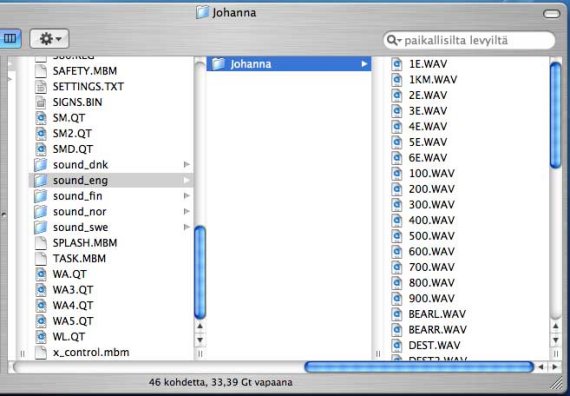
Voice structure seems pretty simple with different languages having own folders, inside there is different folders for different "speakers" and then all voices are simple wav tones. So it seems possible to have own voices also, those interested look see below for screen capture showing this structure.
Sample voice, 100 kB wav
Navigation sample
In Navicore you can simulate the route moving with joystick along the road. Jere has made a video showing this simulation. This is very much like in real situation so you can get the impression about different views, zooming, speed, voice directions. This is in Finnish atm, but maybe in the future also English version will be available. (Note: Jere has Nokia 9500 but everything is similar in 9300 except physical dimensions.)
Navigation sample by Jere (20 MB WMV video)
Screen saver
With screen saver enabled (Menu -> Tools -> Settings -> Powersave) Navicore shuts down the screen backlight according to communicators settings. But the backlight comes back when turn is less than 1 km in front. This is really useful as the program doesn't interrupt driver normally at all and when turn is coming driver will notice it even without any voice.
If you trust the voice directions alone you can even close the communicator totally. Now screen isn't used at all and power consumption is much less but you still get voice directions!
[top]
|