|
UPDATE: As of January 2006 this service is no longer supported. No further POI Updates will be available from this date. To continue to access updated POIs you should visit our POI Download Page here. Safety Camera Updates are available to subscribers via this page.
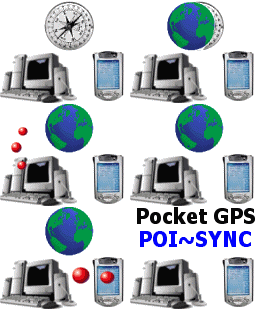 Pocket GPS POI-Sync is a new service from the
Pocket GPS Team. Pocket GPS POI-Sync is a new service from the
Pocket GPS Team.
This incorporates all of the POI's listed at Pocket GPS,
categorised into country sets, which you can download and sync to your Pocket PC
in the desktop cradle whilst you're online.
Pocket GPS POI-Sync will work
with GPSAssist, POI-Warner, CheckPOInt and many more add-on POI programs using a
desktop application called POI-Edit.
*** Experiencing Connection Problems with POI-Edit ? ***
Click here and follow the configuration in our FAQ Page.
Download POI-Edit
To start you need to download POI-Edit which is a
PC based application. We've decided to provide a direct link to the author
as it's easier for him to update and maintain. To download, goto the
following URL http://www.dnote.nl/pda/poi/PoiEdit/ and select the Download link just under
the screenshot.
Installing and Using POI-Edit
POI-Edit has changed drastically between v2 and v3 and some users have become a little unstuck in following the install and update instructions for V3, so here you can choose a V2 or V3 set of instructions depending on which version you are running.
V2 Instructions
V3 Instructions
Known Problems
If you believe there should be some updated POI's
on the Pocket GPS POI-Sync server because we've announced them on our news page
but you're not seeing them, it's because POI Edit caches the server list.
If this happens (and it's usually because you haven't logged out or switched
your machine off for a while, but put it into hibernate), then just exit POI
Edit in the task tray and re-run POI Edit and it will download a new index list
from our server.
Frequently Asked Questions
Q. If I add entries to one of the POI's I've
downloaded, will it upload it back to the server ?
A. No. The reason for this is, you could
overwrite the a recent POI that has been uploaded, so you do have to email us an
updated POI file. What we would suggest is you save the POI as a different
name, so if you have Castles.ov2, then call it Castles2.ov2 and
email us the updated file.
Q. If I sync the Speed Camera Database, or any
POI's I want to be notified of, do I have to do anything else ?
A. Possibly. It depends on the add-on
utility you use on the Pocket PC. GPSAssist has it's own seperate database
so it can detect changes to the database. If applications have this, then
you may also have to sync within the application like GPSAssist to keep both the
OV2 and the POI Alert notification program up to date.
Q. Can I ask POI Edit to sync every time I dock my
Pocket PC ?
A. You can, but there really is no point to it.
If you dock your Pocket PC 5 times a day, you will need to download and sync 5
times a day and also answer quite a few dialog boxes that pop up. What we
recommend is you watch our news page, we'll update you when there are updates,
and then just select the Update Now option in POI Edit and it saves you having
to manually download the POI files.
Troubleshooting
If you are still experiencing problems connecting,
check out our FAQ
Database for assistance.
|